Crypto On-Ramp API: How the Integration Works From Quote to Payout
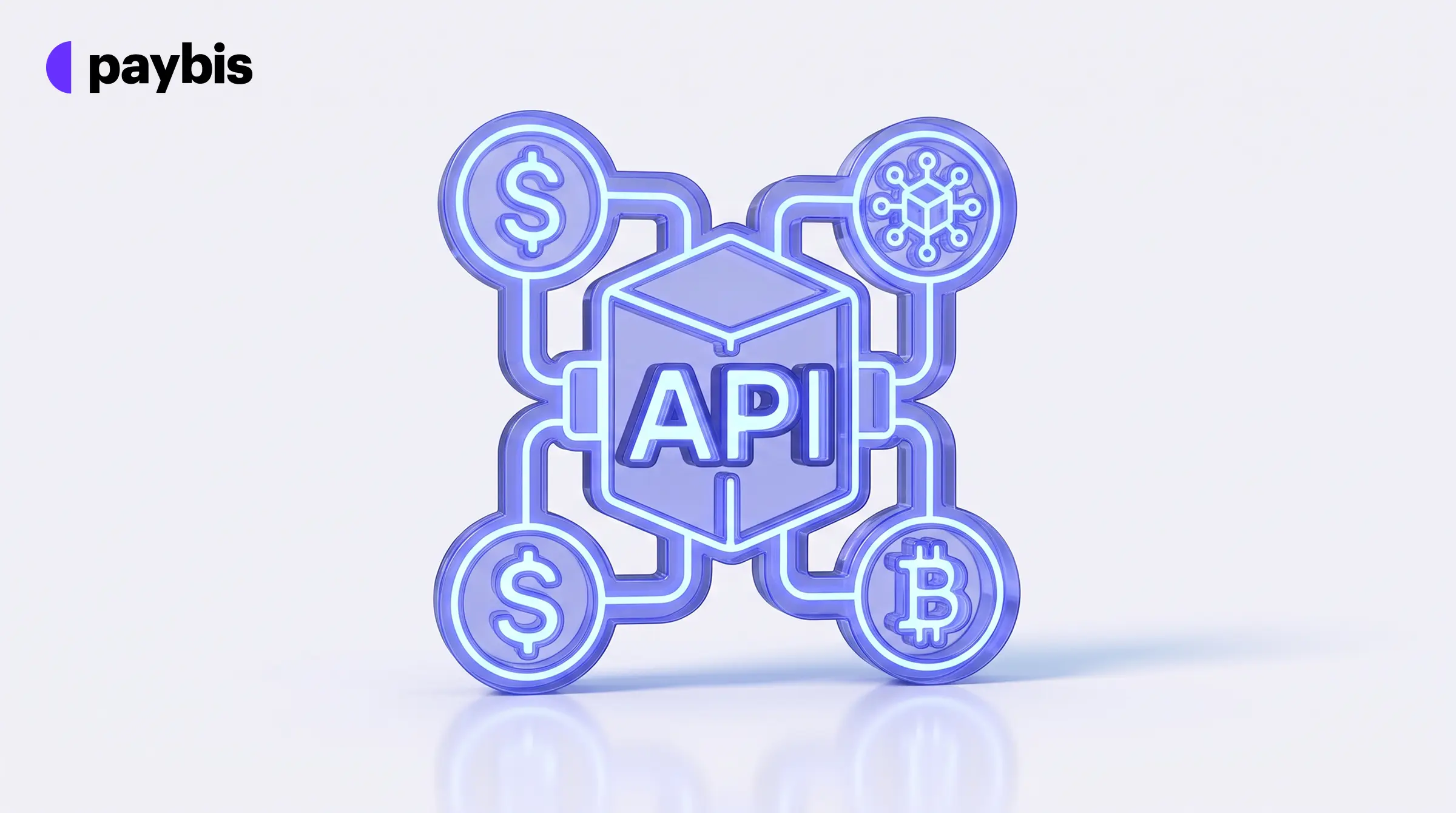
- A crypto on-ramp API lets your backend request a quote, create a session and open a payment widget. Paybis handles the payment screen and sends the crypto to the customer’s wallet.
- Choose standalone for a signed link with no API calls. Choose API-based for one-click checkout and shared KYC.
- Sign every request that has a body with your private RSA key, and verify every webhook against the raw body.
- Compare options in How to Add a Crypto On-Ramp to Your Product: Widget, SDK, or API, or see the Paybis On/Off Ramp.
A crypto on-ramp API lets your product sell crypto to your own customers. Your backend makes a small set of signed requests to the provider. The provider handles the rest of the purchase.
This guide walks through the Paybis On/Off Ramp API in the order your engineers will meet it.
What is a crypto on-ramp API?
A crypto on-ramp API is a set of requests your backend sends to a provider so customers can buy crypto with fiat inside your app or website. Fiat means everyday money such as USD or EUR. An API is a set of requests that one system sends to another.
The work is split in two. Your side picks the amount and shows the quote. Paybis shows the payment screen, known as the widget, and sends the crypto to the customer’s wallet once the payment and identity checks pass.
Standalone or API-based: which crypto on-ramp integration fits?
Pick standalone if you want to open the widget with a signed link and make no Paybis API calls. Pick API-based if you need one-click checkout or shared KYC. KYC means know your customer, the identity check on a buyer. Shared KYC lets you pass identity data you already hold, so the customer skips that step. One-click checkout lets a customer pay without stepping through every screen in the widget. For a wider look at the options, read How to Add a Crypto On-Ramp to Your Product: Widget, SDK, or API.
| Factor | Standalone | API-based |
|---|---|---|
| How it talks to Paybis | No Paybis API calls. Your backend only signs the widget link | Server-to-server calls to the Paybis API with your private API key |
| Signing method | HMAC signature on the widget URL (a signature built from a shared secret key) | RSA signature on each request body (a signature built from your private key) |
| What you receive from Paybis | A partnerId and an HMAC key | A private API key. You generate an RSA key pair and share the public key |
| Customer and transaction data | Limited: amount and currency pair, plus the wallet | Quote and payment method, plus email and wallet |
| Single sign-on and shared KYC | Not available | Available |
| One-click checkout | Not supported | Supported |
| Ways to open the widget | Direct URL with partnerId, or Web SDK | Web SDK, native mobile SDKs or direct URL with requestId |
Single sign-on logs the customer in automatically, so they skip the email and one-time code step. API-based gives you full control over the customer journey. It also takes more setup work.
How does a crypto on-ramp API work from quote to payout?
Your backend asks for a quote. It then creates a request, which returns a requestId. Your frontend opens the widget with that ID. The customer pays and completes any identity checks, then receives crypto. Webhooks then report each status change to your backend.
A quote is the price and fee breakdown for one purchase. It expires after a short time. A requestId is the session ID that starts the widget. It holds every parameter you passed, such as the amount and the user details.
| Step | Call | What it does | Required |
|---|---|---|---|
| 1 | GET /v2/currency/pairs/buy-crypto | Lists the fiat and crypto pairs available to buy. You can cache the response | Optional |
| 2 | GET /v2/payment-methods/{currencyFrom}/{currencyTo} | Lists payment methods and amount limits for the chosen pair | Optional |
| 3 | POST /v2/quote | Returns a quote for an amount and a pair | Optional |
| 4 | POST Request | Returns the requestId that starts the widget session | Required |
| 5 | Open the widget | Your frontend opens it with the requestId | Required |
A quote request sets the pair, the amount and the payment method.
{
  "currencyCodeFrom": "EUR",
  "amount": "100",
  "currencyCodeTo": "BTC",
  "directionChange": "from",
  "paymentMethod": "credit-card"
}
The directionChange field sets which currency the amount is in. Take the paymentMethod value from the payment methods call, because the ID depends on your account setup. Always set it. If you leave it out, Paybis returns a quote for every method and the customer repeats the full journey inside the widget. You lose the one-click flow.
Paybis requires a quoteId and a matching paymentMethod when you create a request. Fields such as wallet and email are optional.
{
  "quoteId": "QUOTE_ID_FROM_QUOTE_RESPONSE",
  "partnerUserId": "YOUR_USER_ID",
  "locale": "en",
  "paymentMethod": "credit-card",
  "cryptoWalletAddress": {
    "address": "CUSTOMER_WALLET_ADDRESS",
    "currencyCode": "BTC"
  }
}
If you pass a wallet, its currency must match the asset in the quote. Use the same partnerUserId for every request from one customer, so Paybis does not create duplicate accounts. Paybis responds with the requestId. If you use single sign-on, it also returns a oneTimeToken.
The quote carries the fee breakdown. To read it correctly, see On-Ramp Fee Transparency: How to Calculate Net Received and Identify Hidden Spreads. For costs that appear after launch, see 7 Hidden On-Ramp Fees That Show Up After You Integrate.
How do you sign requests to a crypto on-ramp API?
Sign the body of every request that has one, on your server, with your private RSA key. Send the signature in the X-Request-Signature header. Paybis returns HTTP 403, an access-denied error, if the check fails.
RSA is a key-pair system. You keep the private key and give the public key to your Paybis integration manager.
- Generate a 4096-bit RSA key pair with OpenSSL.
- Hash the raw request body with SHA-512 and write the result as a lowercase hex string.
- Sign that hex string with RSASSA-PSS using SHA-512. Use MGF1 with SHA-512 and a 64-byte salt.
- Encode the signature in Base64 and place it in the X-Request-Signature header.
const crypto = require("crypto");

const body = JSON.stringify(payload);
const digest = crypto.createHash("sha512").update(body, "utf-8").digest("hex");
const signature = crypto
  .sign("sha512", Buffer.from(digest), {
    key: process.env.PAYBIS_PRIVATE_KEY,
    padding: crypto.constants.RSA_PKCS1_PSS_PADDING,
    saltLength: crypto.constants.RSA_PSS_SALTLEN_DIGEST
  })
  .toString("base64");
Send the exact string you signed. Generate a new signature whenever the body changes. Do not sign GET requests or any request with an empty body. If the private key is lost or exposed, tell your integration manager at once. Paybis revokes the matching public key. The full rules are in the Paybis signing guide.
Standalone integrations use a different method. Your backend signs the widget URL with an HMAC key. Sort the query parameters from A to Z before you sign. Keep the key off the frontend.
How do you open the on-ramp widget in your app?
Use the Web SDK for web apps. Paybis recommends it. An SDK is a prebuilt code library that opens the widget for you. Mobile apps use the iOS or Android SDK, and Paybis also documents Flutter and React Native.
| Mode | What happens | SDK method |
|---|---|---|
| iFrame fullscreen overlay | The widget opens in a full-screen layer on your page. Apple Pay is not supported in this mode | open() or openInIframe() |
| Redirect | The customer moves to the widget in the same tab | openRedirect() |
| New browser tab | The widget opens in a new tab | openInNewTab() |
| Embedded | The widget sits inside an element on your page | openInEmbed() |
An iframe is a window that shows one web page inside another. If you build your own iframe instead of using the SDK, you handle widget events and iframe permissions yourself.
The widget must open from a domain Paybis has whitelisted. Ask Paybis to register your domains before testing. A direct link uses widget.sandbox.paybis.com for testing and widget.paybis.com for production. You can add successReturnURL and failureReturnURL so customers land back in your app.
How do crypto on-ramp webhooks work?
A webhook is a message Paybis sends to your server when a transaction changes status. You give your integration manager a URL. Paybis then sends an HTTP POST with JSON and a TRANSACTION_STATUS_CHANGED event.
| Status | Meaning |
|---|---|
| started | The transaction was created in Paybis |
| payment-authorized | Card capture has started and the payment is secured. Applies to cards and alternative payment methods |
| paid | The payment is fully processed and funds are settled. Applies to cards and alternative payment methods |
| completed | The transaction finished successfully |
| cancelled | The customer cancelled in the widget |
| rejected | Paybis or the payment processor rejected it. A rejectReason field says why |
| payment-error | A technical error occurred while processing the payment |
Alternative payment methods are payment methods other than cards. A separate VERIFICATION_STATUS_UPDATED event tracks the customer’s identity check.
Plan for these behaviours:
- The same status can arrive more than once for one transaction. Process every webhook, not only the first.
- Match each event to your records with the requestId.
- Failed payments carry a decline code in payment.errorCode.
- The destinationWalletAddress field can be missing from the started webhook. It appears in a later update.
- If your server does not return an HTTP 2xx response, Paybis retries up to 80 times with exponential backoff, which means each wait is longer than the last. The first retry comes after 10 seconds. The gap between retries caps at 6 hours.
- You choose between a default payload and a light payload when you set up the webhook. The default payload includes customer details such as email and masked card number. The light payload leaves out personal data.
Paybis signs every webhook with a 4096-bit RSA key using RSASSA-PSS with SHA-512. The signature arrives in the X-Request-Signature header. Verify it against the raw request body and the Paybis public key. Do not parse or reformat the body first. Sandbox and production use different public keys. The webhook reference lists every field.
What mistakes slow down a crypto on-ramp API integration?
These are the setup errors the Paybis documentation warns about. Check them before you start testing.
- Leaving paymentMethod out of the quote, which removes the one-click flow.
- Reusing a requestId. Get a new one for every customer transaction.
- Putting a signing key on the frontend. All signing and API calls belong on your backend.
- Signing GET requests. Only sign requests that have a body.
- Opening the widget from a domain Paybis has not whitelisted.
- Handling only the first webhook for a transaction.
- Changing a webhook body before you verify its signature.
- Passing a wallet whose currency does not match the quote.
Does the same API handle off-ramp (crypto to fiat)?
Yes. An off-ramp turns crypto back into fiat and pays it out to a card or a bank. The API reference lists a sell-crypto currency pairs endpoint and a payout methods endpoint for this flow. Webhooks mark each transaction with a flow value of buyCrypto or sellCrypto. For the customer side of this flow, read Frictionless Off-Ramping: Easiest Crypto-to-Fiat Conversions.
What does onboarding with the Paybis On/Off Ramp involve?
Onboarding has six steps from the first call to launch. Paybis lists time to go live as under 48 hours.
- A consultation with the Paybis sales team to choose an integration type.
- A one-page KYB questionnaire. KYB means know your business, the identity check Paybis runs on your company.
- A signed contract.
- Access to the sandbox, a test environment where you build without moving real money.
- The integration itself, with the Paybis technical team on standby.
- Go-live after testing.
Your integration manager supplies your keys. The same person registers your webhook URL and your domains.
Before you sign with any provider, run through 9 Questions to Ask Before You Sign With a Crypto On-Ramp Provider. To weigh this route against building your own, see Build vs Buy: The Real Cost of Crypto Payment Infrastructure.
What does Paybis handle so your team does not have to?
Your team builds the buy screen and the backend calls. Paybis handles the rest of the purchase. It offers 35 payment methods and serves customers in 180+ countries.
Paybis undertakes chargeback liability. A chargeback is a forced refund after a customer disputes a card payment. There is also no rolling reserve. A rolling reserve is a share of your revenue that a payment provider holds back as a safety buffer.
Bottom line
A crypto on-ramp API splits the work cleanly. Your backend signs the calls and creates the session. Paybis runs the payment and sends the crypto, and webhooks report the result back to you.
To see the product, visit the Paybis On/Off Ramp page or contact the Paybis sales team.
Related reading
- Understanding the Paybis On/Off-ramp: A Comprehensive Guide for Businesses
- How to Add a Crypto On-Ramp to Your Product: Widget, SDK, or API
- 7 Hidden On-Ramp Fees That Show Up After You Integrate
- 9 Questions to Ask Before You Sign With a Crypto On-Ramp Provider
- Build vs Buy: The Real Cost of Crypto Payment Infrastructure
FAQ
What is a crypto on-ramp API?
A set of requests your backend sends to a provider so customers can buy crypto with fiat inside your app. The provider shows the payment screen, runs the checks and sends the crypto to the customer’s wallet.
What is the difference between standalone and API-based integration?
Standalone opens the widget with a signed link and needs no API calls. API-based uses server-to-server calls and adds single sign-on, shared KYC and one-click checkout.
How do you secure requests to the Paybis API?
Sign each request body with your private RSA key (RSASSA-PSS, SHA-512) and send the signature in the X-Request-Signature header. Standalone integrations sign the widget URL with an HMAC key instead.
How do on-ramp webhooks work?
Paybis sends an HTTP POST to your URL on every transaction status change. The same status can repeat, so process all of them. Verify each one against the Paybis public key.
Does the same API support off-ramp?
Yes. The API includes sell-crypto currency pairs and payout methods, and webhooks mark each transaction as buyCrypto or sellCrypto.
Disclaimer: Don’t invest unless you’re prepared to lose all the money you invest. This is a high‑risk investment and you should not expect to be protected if something goes wrong. Take 2 mins to learn more at: https://go.payb.is/FCA-Info