
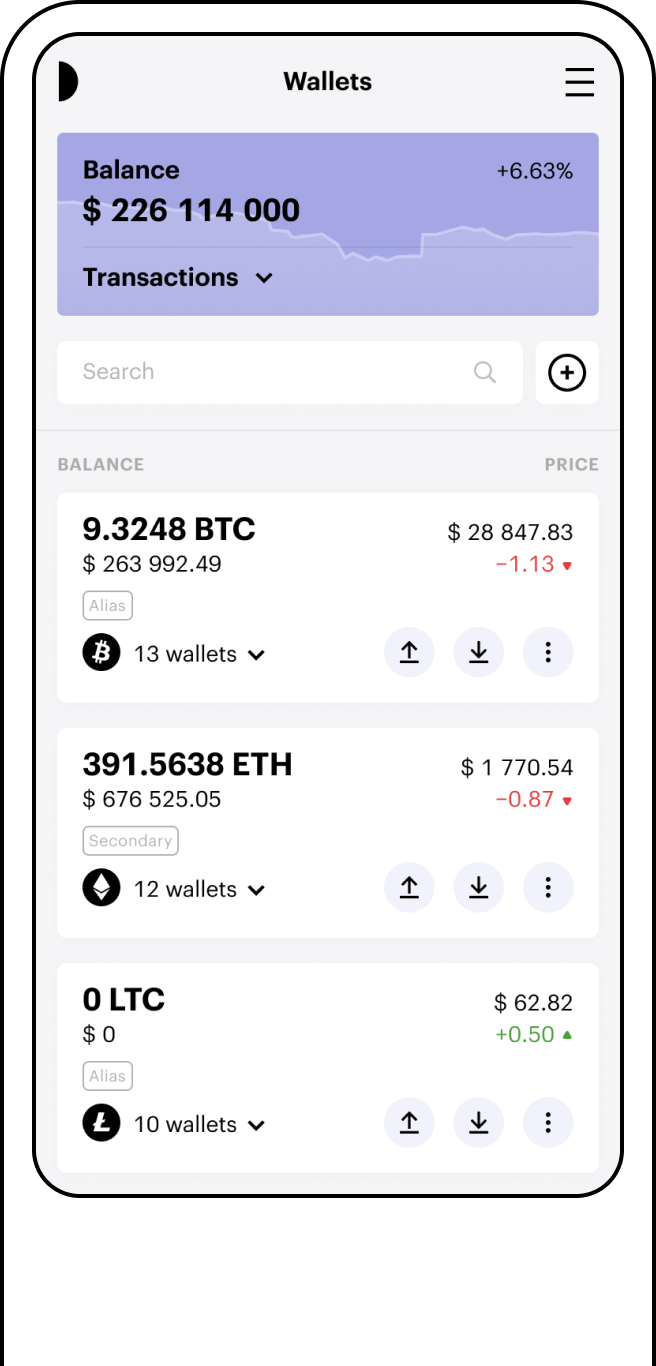
What is a Bitcoin Wallet?
A Bitcoin wallet is a digital tool for storing and accessing your cryptocurrencies. It consists of a unique Bitcoin wallet address (public) for receiving Bitcoin, and a private key (secret) for access. Protecting your private key helps prevent unauthorised access to your wallet; it does not protect against changes in Bitcoin's value or other risks associated with holding cryptoassets. A Bitcoin wallet lets you manage your Bitcoin, check balances, and carry out transactions. It can be stored on paper, in encrypted files, or on secured websites.
There are many kinds of wallets to choose from. With the Paybis Wallet, you can access your Bitcoin directly from your Paybis account, without needing additional software or hardware.
Paybis offers a Bitcoin wallet that gives you control over your digital assets from your account dashboard, letting you send and receive Bitcoin.
We strongly encourage everyone to familiarize themselves with the risks associated with custodial wallets, like Paybis Wallet, before using one.
So what is a Bitcoin wallet address?
A Bitcoin wallet address is the public key of a BTC wallet, used to receive funds from another wallet. This information isn't secret, and when entered into a block explorer, it can reveal the entire transaction history and balance of a Bitcoin wallet.
Figures, examples and any USD values referenced on this page are for illustrative purposes only and may not reflect current live data.
Identity Verification Required
KYC checks are usually completed within minutes. UK customers must complete additional mandatory steps, including a 24-hour cooling-off period, before making their first transaction. The process is not immediate, and access depends on successful completion of each required step.
Creating Your BTC Wallet in the UK
Create a free BTC wallet by following these steps:
- Log in to your Paybis iOS, Android or web app account and click "Create Wallet" at the top of the page.
- Go to the dashboard and select "Crypto Wallet," then "Add Wallet."
- Choose your wallet type from the dropdown menu and add a Bitcoin wallet.
That's it. Your BTC wallet is now set up.
UK customers must complete additional mandatory steps, including a 24-hour cooling-off period, before making their first transaction. See "Identity Verification Required" above.
Once set up, you'll see a QR code showing the public address of your new Bitcoin wallet. You can scan it right away, or access it later by clicking the Deposit button.
You can always access your wallet from the "Crypto Wallets" tab. When selecting a wallet, choose "Paybis Wallet," and if you don't already have one, we'll create it for you.
What is Paybis Wallet?
Paybis Wallet is a free online Bitcoin wallet. It lets you store, send, and receive multiple cryptocurrencies, including Bitcoin (BTC) and other major cryptocurrencies.
Paybis Wallet lets you store, access, manage and use your Bitcoin without needing to keep a seed phrase safe or carry a crypto wallet device. To access it, log in to your Paybis account from anywhere with internet access.
Paybis will never use your funds for purposes you haven't consented to. You can check your balance and transaction history on a block explorer at any time.
How to Use Your Bitcoin Wallet
You don't need to buy crypto on Paybis to use this wallet. You can transfer BTC from other wallets into your Paybis Bitcoin wallet. Click the deposit button, and use the address provided to start your transfer.
To buy cryptocurrency with a credit card through Paybis, select "Buy," choose "Paybis Wallet" as your destination, and there's no need to manually enter an address or scan a QR code. Any purchase remains subject to eligibility, verification, payment approval, service availability and transaction limits. You'll also find a crypto calculator and real-time charts in your Paybis profile to help you track the market.
Paybis Wallet does not charge a fee for depositing, withdrawing, or storing your cryptocurrency. Fees may apply when buying or selling crypto through Paybis, and applicable fees are shown before you confirm the transaction. See our full breakdown of payment fees for details.
FAQ
How do I send BTC to another wallet?
Copy your wallet address from the app and paste it into the sender's section, or scan the recipient's wallet QR code.
How do I get a Bitcoin wallet address?
Choose a method to create your wallet, whether that's on mobile, desktop, or a hardware wallet. Once set up, you'll get your unique Bitcoin wallet address, which you can use to send, receive, and manage your digital assets.
How do I store Bitcoin?
You have three main options: crypto exchanges, hot wallets (software wallets), and cold wallets (offline storage). The right choice depends on your needs. When choosing a BTC wallet, consider factors like security features, accessibility, and ease of use. References to wallet security concern technical and account-protection features only; they do not reduce the investment risks of holding Bitcoin. Each option comes with its own trade-offs between convenience and risk.
How do I set up a Bitcoin wallet?
Note down the wallet's seed phrase (for a hot or cold wallet) and choose a PIN or password to access it. The Paybis Wallet is a free Bitcoin wallet you can access online just by logging in to your Paybis account with your email.
How do I access a Bitcoin wallet?
To access a non-custodial wallet, you'll need to enter a 12 or 24 word mnemonic seed phrase. Entered in the right order, these words can derive your private key. Alternatively, to access your Paybis online BTC wallet, just log in to your free Paybis account.
