
What is a TRON Wallet?
If you're new to crypto, you may be wondering what a TRON wallet is and how it works. Let's find out.
A TRON wallet is a way to prove your ownership of your crypto. Each wallet has two parts: a public address and a private key. The public address can be freely shared, if someone sends TRX to this address, it'll appear in your TRX wallet. The private key must be kept secret, it's used to access and transfer your crypto. Protecting your private key helps prevent unauthorised access to your wallet; it does not protect against changes in TRON's value or other risks associated with holding cryptoassets.
Selecting a suitable wallet for TRX among the many available options can be challenging. Here are some factors to think about:
- Access controls: access to your wallet means access to your crypto, so check how a wallet protects against unauthorized access before choosing one.
- Accessibility: losing access to your crypto wallet means losing access to your crypto.
- Full control: if you pick an online TRON wallet, check whether there are restrictions on your crypto. For example, some providers limit withdrawals. Read our article outlining risks associated with custodial wallets, like a Paybis wallet.
At Paybis, we offer a free TRX wallet that lets you hold and manage your TRX through your Paybis account. Wallet access is generally available at all times, subject to maintenance or technical interruptions. You can also read more about how the Paybis wallet approaches custodial risk.
Figures and examples referenced on this page are for illustrative purposes only and may not reflect current live data.
Identity Verification Required
KYC checks are usually completed within minutes. UK customers must complete additional mandatory steps, including a 24-hour cooling-off period, before making their first transaction. The process is not immediate, and access depends on successful completion of each required step.
Getting Your TRON Wallet in the UK
Our wallet lets you access your crypto directly from your Paybis profile, you don't need any special apps or hardware. If you don't already have a Paybis profile, sign up to create one.
Once you've logged in, there are three ways to get your TRX wallet:
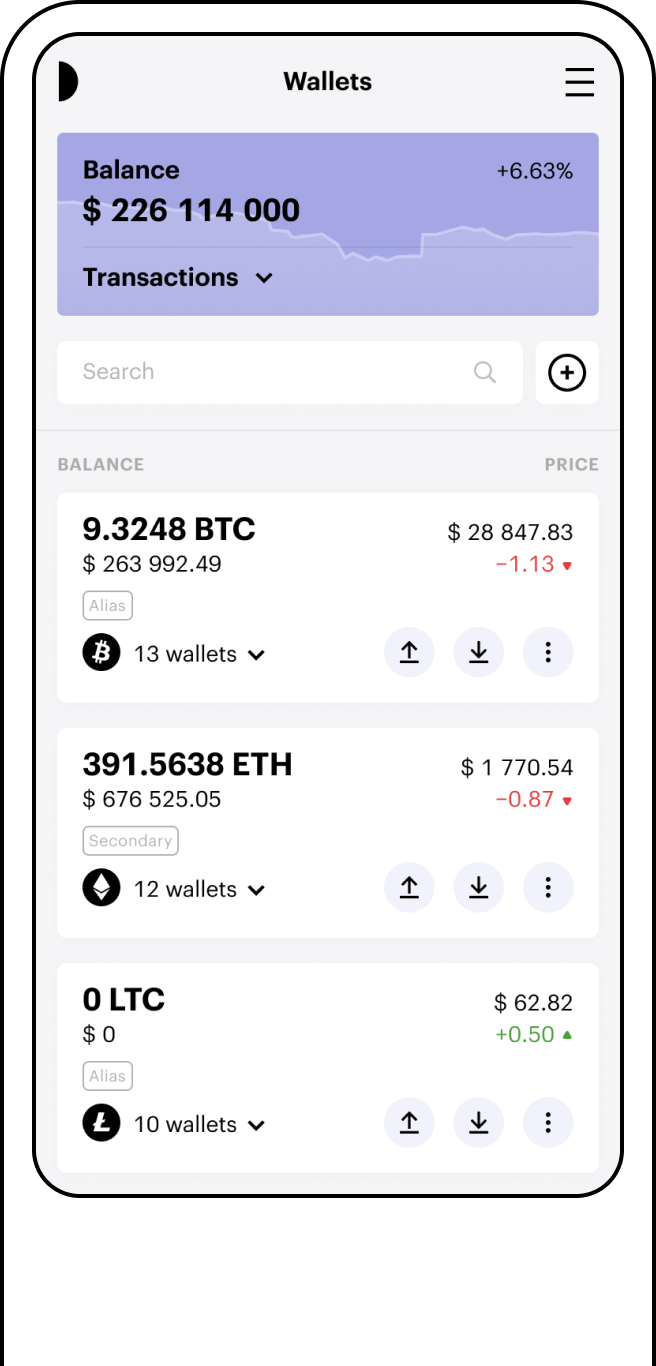
- Go to the "Wallets" tab and select "Add wallet."
- Click the "Open wallet" button on this page.
- Get some TRON at Paybis, and we'll create a free TRON wallet for your crypto.
UK customers must complete additional mandatory steps, including a 24-hour cooling-off period, before making their first transaction. See "Identity Verification Required" above.
Using Your TRX Wallet
Now that you know what a TRON wallet is and how to get one, let's look at what you can do with it.
You can access your TRON wallet from your Paybis profile.
You can view, send, and receive your TRON whenever you're logged in to your account. You can send it to another wallet, and Paybis does not charge a withdrawal fee. Blockchain network fees are payable, may vary, and are shown before you confirm the transfer. See our breakdown of fees for details.
You can also add more cryptocurrency to your wallet by exchanging fiat currency for crypto through our service. Any purchase remains subject to eligibility, verification, payment approval, service availability and transaction limits.
We've developed this TRON wallet to help you manage your TRX in one place.
FAQ
What is a TRON wallet address?
Your TRX wallet address is the public part of your wallet, used to receive TRON. You can share it freely, unlike your private key, which should be kept secret.
Can I store other cryptocurrencies in my Paybis TRON wallet?
Yes. The Paybis Wallet lets you hold multiple cryptocurrencies within the same account, including TRX.
How do I access my TRON wallet?
Log in to your Paybis account and go to the Wallets tab to view and manage your TRON wallet.
How do I send TRX to another wallet?
Use the recipient's public wallet address to send TRX. Sending is subject to standard blockchain confirmation, and applicable network fees are shown before you confirm the transfer.
