BitPay vs Paybis: Which Platform Gets Bitcoin to Your Wallet Fastest?
TL;DR: Paybis delivers Bitcoin in minutes with automated verification completing in under 5 minutes and direct settlement. BitPay routes purchases through third-party providers like Simplex and MoonPay, creating variable timelines from 10 minutes to several weeks depending on manual review queues. Both platforms charge similar total fees (7-8%), but Paybis processes verification automatically while BitPay users navigate partner systems with unpredictable delays. Paybis includes 24/7 live chat support with 15-second average response times.
BitPay says “processing” but new users aren’t actually dealing with BitPay. Verification requests enter queues at Simplex or MoonPay, where manual review teams don’t work weekends. When accounts finally get approved Monday morning, Bitcoin’s price has often moved 6% during the wait. This middleman architecture creates the delays that frustrate first-time buyers who need crypto today, not next week.
BitPay operates as a wallet that outsources the actual buying process to third-party payment providers. Each additional handoff adds friction, delay, and another chance for transactions to fail. Paybis runs direct infrastructure with automated photo verification and instant card processing, eliminating the waiting rooms entirely.
This comparison benchmarks both platforms on one metric that actually matters to first-time buyers: Time-to-Wallet. The data shows which platform gets crypto into user wallets fastest, and why architecture matters more than marketing claims.
Table of contents
- The Core Metric: Time-to-Wallet Explained
- BitPay Analysis: Speed, Verification, and Friction
- Paybis Analysis: Speed, Verification, and Friction
- Head-to-Head Comparison
- Cost of Speed: Fee Structures Compared
- Get Bitcoin in Your Wallet in 15 Minutes
- Step-by-Step: How to Buy Bitcoin in 15 Minutes on Paybis
- The Verdict on Speed
- Key Terminology
The Core Metric: Time-to-Wallet Explained
Time-to-Wallet measures end-to-end timeline from account creation to spendable Bitcoin. Most platforms advertise “instant buying” but hide delays in verification queues. The total timeline (account setup, ID approval, payment processing, and blockchain settlement) reveals who actually delivers crypto today versus who makes buyers wait days. Automated verification systems process documents in under 5 minutes. Manual review queues stretch for hours or days depending on staff availability.
BitPay Analysis: Speed, Verification, and Friction
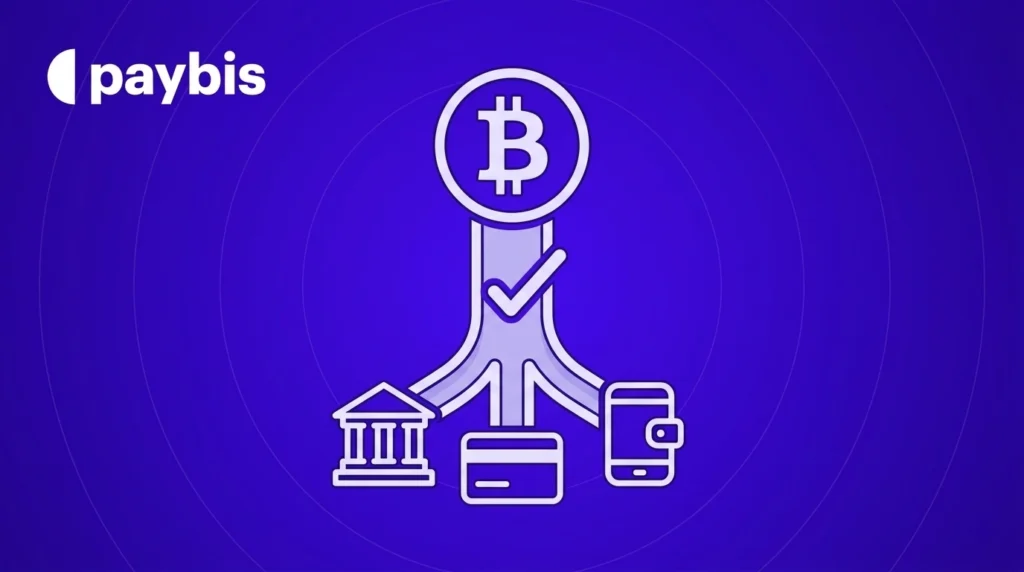
The friction starts when buying crypto for the first time. BitPay integrates with third-party providers including Sardine, Simplex, MoonPay, Banxa, Ramp, and Transak. Clicking “Buy Bitcoin” redirects users to these partners for verification, payment processing, and compliance.
Each partner operates independent verification systems. User reviews reveal highly variable experiences: verification takes anywhere from 10 minutes to several weeks.
The multi-provider approach creates friction. Users compare provider options without clear guidance, complete duplicate verification with both BitPay and the selected partner, and navigate split support when issues arise. If purchases fail, users must contact the partner’s support team, adding response time. First-time buyers cannot predict whether verification takes 10 minutes or 10 days.
Paybis Analysis: Speed, Verification, and Friction
Paybis operates direct infrastructure without third-party handoffs. When users buy Bitcoin, Paybis processes verification, accepts payment, and sends crypto to wallets (all within the same system). This unified approach eliminates the coordination delays that plague multi-provider platforms.
Verification completes in 2-5 minutes for 80% of users through automated photo recognition powered by Sumsub. Users upload a valid ID and complete a liveness face scan. The system checks document authenticity, matches faces to photos, and approves compliant submissions instantly. Manual review only triggers when photos fail quality checks or documents raise compliance flags.
“I like how easy it is to buy crypto with my card and send it directly to my wallet. The interface is clear, transactions are fast, and support has been helpful whenever I had questions.” – Elizar S on G2
Card payments process instantly through direct integrations with Visa, Mastercard, Apple Pay, and Google Pay. First transactions typically complete in 10-15 minutes when verification approves automatically. Subsequent purchases take 5 minutes since users are already verified. Bitcoin settles to external wallets within 15 minutes depending on network congestion.
The simplified timeline:
Minutes 0-2: Account creation and email confirmation
Minutes 2-7: ID upload and automated verification approval
Minutes 7-10: Card payment and 3DS security check
Minutes 10-15: Bitcoin delivery to wallet and blockchain confirmation
Paybis operates in 180+ countries with 20+ payment methods including PIX in Brazil, Webpay in Chile, and FPS in the UK. Support runs 24/7 with live chat in 9 languages and average response times under 15 seconds.
“Paybis made it very simple and straightforward to get into the exciting world of crypto in a matter of minutes!” – Islam R on G2
Head-to-Head Comparison
| Feature | BitPay | Paybis |
|---|---|---|
| Verification time | 10m–weeks | 2–5 min |
| Settlement speed | 15m–2h+ | 10–15m |
| Total time to wallet | Up to 72h | ~15 min |
| Support access | Email only | 24/7 chat |
| Purchase process | Multi-step | Direct flow |
| Payment methods | Provider dep | 20+ methods |
| Typical total fees | 3.5–4%+ | 7–8% |
The comparison shows why architecture matters more than feature lists. BitPay offers a quality wallet but relies on external providers for buying. Paybis built integrated infrastructure to minimize time between decision and ownership.
“The Paybis app it’s the easiest I’ve ever used it was the easiest I got to get verified it was the easiest to just complete the account setup.” – Tammy on Trustpilot
Cost of Speed: Fee Structures Compared
Speed carries a premium, but the gap between platforms is smaller than expected. Both BitPay’s partners and Paybis charge similar total fees for card purchases (roughly 7-8% when adding all components).
Paybis displays three fees before payment confirmation:
- Service Fee: 0% on first card purchase (promotional), then 1.49% for cards or 0.99% for bank transfers
- Payment Processing Fee: 4.5% for USD/EUR/GBP/JPY cards, up to 6.5% for other currencies; flat $2-3 for purchases under $50
- Network Fee: Bitcoin miner charge, currently $0.30-2.00, varies with blockchain congestion
Total fees land around 7-8% for most card purchases. BitPay partners charge similar total costs (3.5-4% transaction fees plus network charges), but quotes vary by provider, requiring comparison shopping that adds time.
“I especially appreciate the transparent fee structure—no hidden costs or surprises.” – Vladimir Z on G2
All fees display in the calculator before users enter payment details. The final amount shown at checkout matches bank statements with no hidden charges.
Get Bitcoin in Your Wallet in 15 Minutes
Paybis processes purchases from account creation to Bitcoin delivery in under 15 minutes for first-time buyers. Create an account, complete automated verification in under 5 minutes, and own Bitcoin today instead of waiting through manual review queues. The platform operates in 180+ countries with 20+ payment methods including Apple Pay, Google Pay, and cards.
The step-by-step process below shows exactly what happens at each stage.
Step-by-Step: How to Buy Bitcoin in 15 Minutes on Paybis
This walkthrough covers the complete first-purchase flow from account creation to Bitcoin in wallet. The process typically takes 12-15 minutes for new users with quality ID photos.
1. Create Account (2 minutes)
Visit Paybis registration and enter email address. Create a password meeting security requirements. Check email and click verification link to activate account.
2. Select Purchase Amount (1 minute)
Navigate to the Bitcoin purchase page. Enter USD amount in the calculator. The interface shows exactly how much Bitcoin users receive and displays all three fees: Service Fee, Processing Fee, and Network Fee. Enter the Bitcoin wallet address where crypto should be delivered.
Select payment method: Credit Card, Debit Card, Apple Pay, Google Pay, or bank transfer. For fastest delivery, choose card or mobile payment methods that process instantly.
Watch how to buy Bitcoin with debit card for visual walkthrough.
3. Complete Identity Verification (2-5 minutes)
Upload valid government-issued ID: passport, driver’s license, or national ID card. Take clear photo showing all four corners with readable text.
Complete the liveness face scan. The system prompts head movement in specific directions to confirm real person presence.
Most verifications complete automatically within 5 minutes. Email confirmation arrives when approved. Manual review typically responds within 10-20 minutes during business hours if photo quality requires human check.
Watch the verification process to see exactly what happens.
4. Complete Payment (2 minutes)
Enter card details: number, expiration date, and CVV code. For Apple Pay or Google Pay, authenticate with Face ID, Touch ID, or device PIN.
Banks send 3DS security notifications via text or app. Approve the charge to complete payment processing. This two-factor authentication confirms purchase authorization and reduces fraud risk.
5. Receive Bitcoin (5-10 minutes)
Paybis processes orders and broadcasts transactions to the Bitcoin network. Email confirmation arrives with transaction ID and blockchain explorer link to track settlement progress.
Bitcoin typically arrives in external wallets within 15 minutes, though network congestion can extend timing during peak periods. Monitor blockchain confirmation status through the explorer link.
“Paybis is so quick and easy to send bitcoin to an external wallet without any hassles.” – MAUREEN on Trustpilot
Watch the complete purchase walkthrough showing every step in real-time.
The Verdict on Speed
BitPay built a secure wallet and merchant payment processor. The friction starts when buying crypto for the first time because BitPay outsources purchases to third-party providers rather than processing transactions directly. User reports range from 10-minute approvals to weeks-long delays.
Paybis operates integrated infrastructure designed to minimize time between decision and ownership. Automated verification processes most users in under 5 minutes. Direct payment processing eliminates third-party handoffs. Typical first purchases complete in 12-15 minutes total.
The speed premium costs roughly 1-2% more in fees compared to cheapest BitPay partner options. For first-time buyers who need Bitcoin today, that premium buys certainty and 24/7 support access instead of hoping manual review completes before opportunities pass.
“Paybis has the absolute easiest platform to purchase crypto. And the processing is extremely fast!” – Sandra Jenkins on Trustpilot
If crypto needs to be in wallet tonight, create a Paybis account and complete verification in minutes.
Key Terminology
Time-to-Wallet: The end-to-end duration from account creation to spendable Bitcoin in user control. Measures verification speed, payment processing, and settlement combined.
Automated Verification: Identity checks processed by software systems using document recognition and facial matching technology, typically completing in 2-5 minutes without human review.
Manual Review: Verification handled by human compliance teams when automated systems flag potential issues. Can take hours to days depending on team availability and case complexity.
Settlement: The moment cryptocurrency arrives in wallet and receives blockchain confirmation. Network congestion affects timing, currently averaging 10-15 minutes for Bitcoin transactions.
Third-Party Provider: External companies that BitPay partners with to process crypto purchases, including Simplex, MoonPay, Banxa, and others. Each provider operates independent verification and payment systems.
3DS Security: Two-factor authentication required by Visa and Mastercard for online purchases. Banks send confirmation codes via text or app to verify users authorized charges.
Network Fee: Cost paid to Bitcoin miners to process and confirm transactions on the blockchain. Amount fluctuates with network demand, currently averaging ~$0.54–$0.82 per transaction based on recent on-chain tracking.
FAQ
Can users buy Bitcoin instantly on BitPay without waiting for verification?
No. BitPay requires identity verification through third-party partners, but the situations vary. Verification timelines vary from 10 minutes to several days depending on which provider is selected and whether manual review is required.
Does Paybis require ID verification for all purchases?
Yes. Paybis requires valid government-issued ID and liveness face scan for regulatory compliance. The automated system processes most verifications in under 5 minutes, with manual review adding 10-20 minutes when needed.
Which platform has better security for first-time buyers?
Both platforms implement industry-standard security. BitPay offers strong wallet security with multi-signature protection. Paybis holds FinCEN registration and FINTRAC registration, ensuring compliance with US and Canadian regulations. Security quality is comparable, but Paybis’s 24/7 live support provides faster response when security issues arise.
What happens if card payment fails during purchase?
Paybis processes refunds immediately when payments fail authorization. Banks typically show returned funds within 24-48 hours. Contact live support for alternative payment methods if cards continue declining purchases.
Can Bitcoin be sent to external wallets immediately after purchase?
Yes. Paybis delivers Bitcoin directly to any wallet address specified during checkout. Users control keys to external wallets from the moment blockchain confirms transactions (typically within 15 minutes).
What if help is needed during the purchase process?
Paybis offers 24/7 live chat support in 9 languages with average response times under 15 seconds. BitPay directs users to partner support teams for purchase-related issues, which typically respond via email within 24-48 hours.
Disclaimer: Don’t invest unless you’re prepared to lose all the money you invest. This is a high‑risk investment and you should not expect to be protected if something goes wrong. Take 2 mins to learn more at: https://go.payb.is/FCA-Info