Don’t Lose Money Staking SUI: 9 Mistakes to Avoid for Beginners
Key Takeaways
Staking SUI earns 1.8-3% annually, but beginners lose money through avoidable mistakes. The biggest trap: exchanges often don’t offer native SUI staking (only DeFi yield). Other costly errors include high-commission validators (10% vs 5% cuts your $1,000 stake’s returns by $1.50/year), storing seed phrases digitally, and panic unstaking during price drops. Buy crypto on Paybis with transparent fees, transfer to a self-custody wallet, stake with a low-commission validator, to keep track of your cost basis.
Table of contents
- What is SUI and How Does Staking Work?
- Mistake #1: Assuming You Can Stake SUI Directly on Your Exchange
- Mistake #2: Ignoring Validator Commissions
- Mistake #3: Chasing the Highest APY
- Mistake #4: Forgetting About Lock-up Periods
- Mistake #5: Leaving SUI on an Exchange Instead of Self-Custody
- Mistake #6: Security Mistakes That Cost You Everything
- Mistake #7: Not Tracking Your Cost Basis for Tax Purposes
- Mistake #8: Panic Unstaking During Market Volatility
- Mistake #9: Paying Too Much to Buy SUI in the First Place
- How to Buy Crypto Safely on Paybis and Start Staking
- Ready to Start Staking SUI the Right Way?
- Key Terminology
What is SUI and How Does Staking Work?
SUI is a high-performance Layer 1 blockchain that launched in May 2023. It uses a Delegated Proof-of-Stake (DPoS) consensus system. You delegate your SUI tokens to validators (computers that process transactions and secure the network). In return, you earn rewards from gas fees and staking subsidies.
Current average staking APY ranges from 1.80-3.00%, though rates fluctuate based on network activity. As of November 2025, SUI trades around $1.53 to $1.57 USD with a market cap of approximately $5.63 billion to $5.74 billion according to CoinGecko and CoinMarketCap. The circulating supply is about 3.68 billion SUI out of a total supply of 10 billion.
Mistake #1: Assuming You Can Stake SUI Directly on Your Exchange
This is the most common and frustrating mistake. You search “SUI staking” and expect a simple staking button. The reality is different, for example Coinbase doesn’t offer native SUI staking:
- Coinbase Exchange doesn’t offer native SUI staking. While Coinbase’s website indicates they provide SUI staking with a reward rate of approximately 1.94%, this is “DeFi yield” earned by lending your crypto to third-party protocols. This is not staking directly on the SUI network. Coinbase’s main platform supports staking for cryptocurrencies like Ethereum, Solana, and Cardano, but SUI is not listed among assets that can be directly staked.
- Coinbase Wallet (the self-custody app) also lacks in-app SUI staking integration. While the wallet holds SUI tokens, you cannot stake directly from the wallet interface.
You see “Coinbase” and assume all features work across both the exchange and the wallet. They don’t. If you want to earn staking rewards on SUI, you need a platform that supports native staking.
The fix: Buy crypto on Paybis where we show all fees upfront: 0% service fee on your first card purchase. You see the total USD cost and exact SUI amount before entering payment details. Coinbase charges ~3% for card purchases plus a spread that isn’t itemized separately. Transfer your Paybis-purchased SUI to a compatible wallet that connects to native staking platforms. Watch how this works in practice in our tutorial below:
Mistake #2: Ignoring Validator Commissions
Validators charge a commission on your staking rewards. This directly reduces what you earn. On the SUI network, validator commission rates typically range from 5% to 10%.
Here’s what this means in real dollars. Assume you stake $1,000 worth of SUI at an average 3% APY:
| Validator Commission | Commission Taken | Your Net Rewards |
|---|---|---|
| 5% | $1.50 | $28.50 |
| 8% | $2.40 | $27.60 |
| 10% | $3.00 | $27.00 |
Based on $1,000 staked at 3% base APY
A 5% difference in commission costs you $1.50 per year on a $1,000 stake. Scale that to $10,000 and you lose $15 annually just by picking the wrong validator.
Many beginners don’t even check commission rates. They pick the first validator they see or choose based on name recognition alone. Validators with poor performance may not receive staking rewards for a particular epoch, which affects the rewards distributed to their delegators.
The fix: Before delegating, check the validator’s commission rate and performance history on a SUI block explorer like SuiVision or Suiscan. Look for validators with commissions in the 5-7% range and consistent uptime. Lower isn’t always better if the validator has poor performance, but paying 10% when you could pay 5% is leaving money on the table.
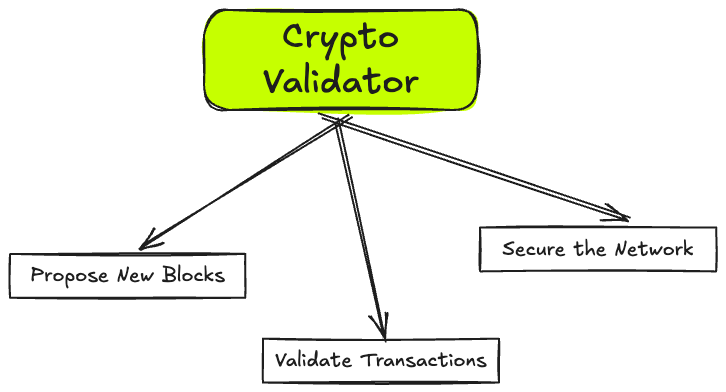
For more on what a validator is and what it does checkout our guides on Proof of Stake and Proof of Work or this more technical beginners’ guide.
Mistake #3: Chasing the Highest APY
You see a validator advertising 5% APY when most offer 2%. Sounds great, right? Usually, it’s a trap.
Unusually high APYs often signal risk. The validator might be new and using promotional rates to attract your stake. They might have a tiny total stake that inflates the percentage but provides no stability guarantee. Or they could be unreliable with poor uptime.
If a validator performs poorly, they may be penalized, and stakers will not receive rewards for that epoch. In other Proof-of-Stake networks like Cosmos and Polkadot, validators offering unusually high APYs have engaged in risky behaviors leading to ‘slashing’. SUI implements a slashing mechanism that primarily targets staking rewards rather than principal stake. If validators perform poorly or misbehave, they can lose 100% of rewards for that epoch. In severe cases involving double-signing or major protocol violations, validators can also have their principal stake slashed. Delegators who stake with underperforming validators may lose their epoch rewards as well.
We checked SuiVision validator data in November 2025 and found APYs tightly clustered around 1.8-2% for most reputable validators. You won’t see active SUI validators advertising APYs greater than 3%.
The fix: Stick with established validators with transparent track records. A reliable 2% APY beats a theoretical 5% that never materializes. Check the validator’s total stake, uptime history, and how long they’ve been active. Bigger isn’t always better, but brand-new validators with no history are gambles.
Mistake #4: Forgetting About Lock-up Periods
You stake your SUI thinking you can withdraw anytime. Then the market crashes and you discover your tokens are locked.
SUI staking involves a lock-up period tied to network epochs. An epoch is approximately 24 hours. When you stake, your tokens are locked until the end of the current epoch. You can’t immediately unstake and sell during a panic.
Imagine SUI drops 18% in one day. You’re locked in until the epoch ends. That 18% could become 25% before you can unstake. You watch your investment drop and feel helpless because you can’t access your funds.
The fix: Only stake SUI you’re comfortable holding for at least several weeks. Keep some unstaked SUI in your wallet if you might need to sell quickly. Understand that staking works best for long-term holders who understand market cycles, not day traders. If the epoch lock-up makes you uncomfortable, staking might not be right for your current risk tolerance.
Mistake #5: Leaving SUI on an Exchange Instead of Self-Custody
“Not your keys, not your crypto” is the oldest rule in cryptocurrency. If you leave SUI on Coinbase, Binance, or any centralized exchange, you don’t actually control those tokens. The exchange does.
Exchanges can freeze accounts for “security reviews.” They can go bankrupt and lose customer funds (see FTX). They can be hacked. And if you’re trying to stake SUI on an exchange that doesn’t offer native staking, you’re earning suboptimal returns or taking on lending risk.
When you buy crypto through Paybis, we let you send it directly to your own wallet address during purchase. You control the private keys from minute one. You decide when to stake, which validator to use, and when to unstake. No one can freeze your account or prevent you from accessing your tokens.
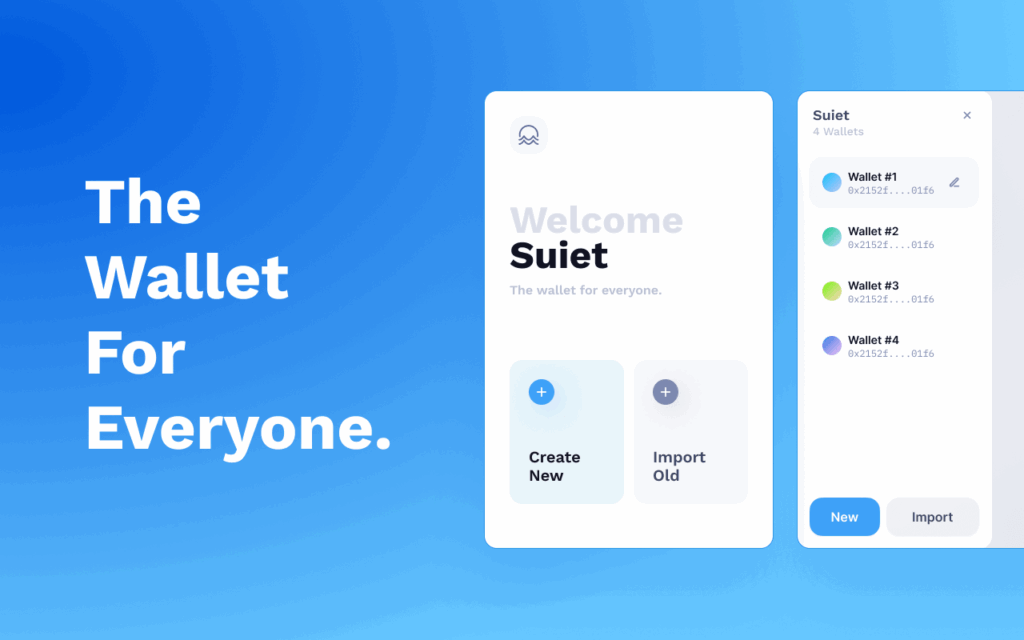
The fix: After buying SUI or any other crypto on Paybis, send it to a self-custody wallet. Download SUI Wallet or another compatible wallet. Write down your seed phrase on paper (never digitally). Transfer your SUI. Now you can stake it properly without exchange-related risks. For a detailed guide on transferring crypto, check out how to send Bitcoin to another wallet (the process is similar for SUI).
Mistake #6: Security Mistakes That Cost You Everything
Two security errors kill beginners: storing seed phrases digitally and not reserving gas fees.
Storing Your Seed Phrase Digitally
Your seed phrase is the master key to your wallet. If someone gets it, they own your SUI. If you lose it, your SUI is gone forever.
Beginners take a screenshot on their phone. They save it in Notes. They email it to themselves. They put it in Google Drive or iCloud.
Storing your seed phrase digitally exposes you to massive security risks. Your phone can be hacked by malware. Cloud storage services can be breached. If your device is stolen, the thief has immediate access to your wallet.
A 2024 Coincover analysis of crypto theft found that digital storage of seed phrases is one of the top causes of loss. Hackers specifically target cloud storage and photo galleries looking for screenshots of seed phrases.
Not Reserving Gas for Transactions
Staking 100% of your SUI creates a hidden problem. When you need to unstake or transfer, you’ll need SUI to pay the transaction fee. If you staked everything, you can’t pay the fee. You’re stuck until you buy more.
SUI network transaction fees are low, typically 0.001 to 0.005 SUI per transaction (a few cents). But if you stake every single token, you can’t pay these fees.
The fix: Write your seed phrase on paper using a pen. Store it in a safe or fireproof box. Never photograph it. Never type it into any device unless you’re actively recovering your wallet. Before staking a large amount, test the recovery process with a small amount. Always keep $10 worth of SUI unstaked as “gas money” for fees. To learn more about protecting your digital assets, read our guide on crypto wallet security.
Mistake #7: Not Tracking Your Cost Basis for Tax Purposes
You buy SUI for $1.50 per token. Six months later, you unstake and sell at $2.00. That $0.50 profit per token is a taxable capital gain in most countries, including the United States.
Many beginners don’t track their purchase price (cost basis). When tax season arrives, they have no idea what they paid. They can’t calculate gains or losses. They either overpay taxes or underpay and risk an audit.
We provide transaction receipts that include transaction ID, date and time, asset, amount, fiat spent, fees, and wallet address. This is exactly what you need for tax reporting. Watch our guide on how transaction history helps with taxes to see how tracking saves money.
The fix: Immediately after each Paybis purchase, save your transaction receipt. Store it in a dedicated “Crypto Taxes” folder. Note the date, amount of SUI purchased, total USD spent (including fees), and the price per SUI. Consider using crypto tax software like CoinTracker or Koinly, which can help automate capital gains calculations.
Mistake #8: Panic Unstaking During Market Volatility
SUI drops 15% in one day. You panic. You immediately unstake to sell before it drops further. By the time the unstaking period ends, the price has recovered. You locked in a loss and missed the rebound.
Staking is designed for investors who understand how to choose cryptos for long-term investment, not short-term traders. The lock-up periods and modest 2-3% APY only make sense if you plan to hold for months.
When you panic unstake, you pay opportunity costs. You lose staking rewards during the unstaking period. You often sell at the worst time. You incur transaction fees for unstaking and selling.
The fix: Before you buy SUI, write down this rule: “I will only stake 50-70% of my SUI purchase. The rest stays liquid in my wallet.” This forces you to think about your exit strategy before you’re caught in a price panic. Only stake SUI you’re comfortable holding for at least six months. Set a predetermined unstaking plan based on your financial goals, not daily price movements.
Mistake #9: Paying Too Much to Buy SUI in the First Place
Some platforms hide their fees until checkout. Others embed spreads you don’t see. You think you’re buying $500 of SUI and end up paying $547 with no warning.
Fee opacity is toxic for beginners. You can’t calculate whether staking’s 2-3% APY is worth it if you don’t know what you paid to acquire the SUI.
The fix: Use platforms with transparent pricing. On Paybis, we show all fees in the calculator before you enter payment details: Service Fee (0% first card purchase, 2.49% after), Processing Fee (4.5% for cards over $50), and Network Fee (a few cents). You see the total USD cost and exact SUI amount. No surprises at checkout.

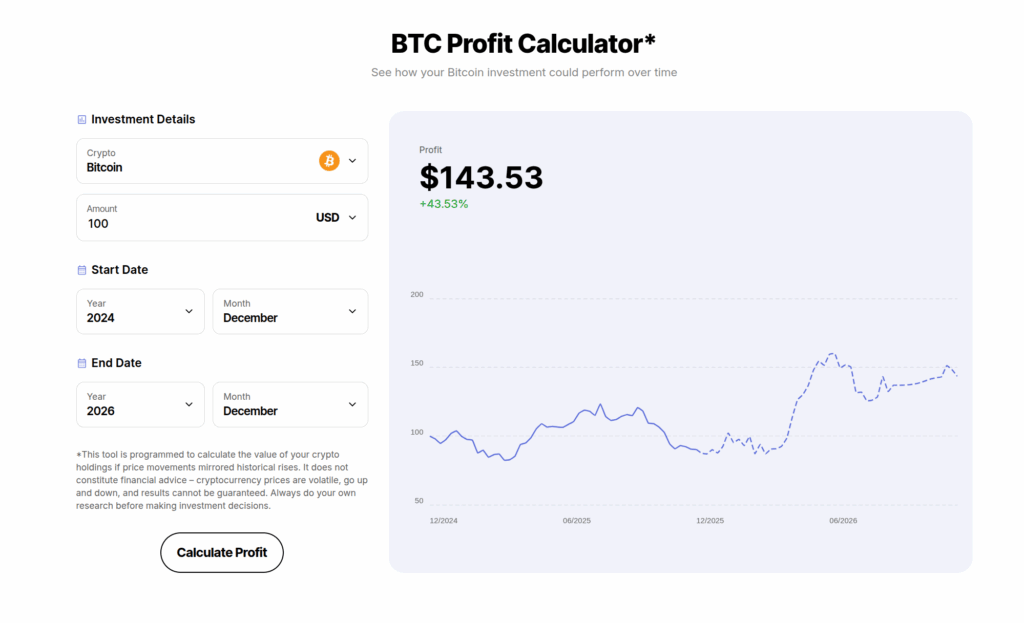
We also have a returns calculator so you can get a sense of you upside potential:
“Is easy an uncomplicated” – Verified Paybis User
How to Buy Crypto Safely on Paybis and Start Staking
We’ve made buying crypto for staking as simple as possible. Here’s the complete process from account creation to earning your first staking rewards, with all fees shown before you confirm payment.
Step 1: Create a Paybis Account
Visit Paybis or download the app. Enter your email and create a password. Verification takes under 2 minutes. Upload a photo of your government ID and take a selfie. The automated system approves most accounts immediately.
Step 2: Buy SUI & Other Cryptocurrencies with Transparent Fees
Use the exchange form on the homepage. Enter the amount of USD you want to spend or the amount of SUI you want to buy. We show all fees before you confirm: Service Fee (0% for first card purchase, then 2.49%), Processing Fee (4.5% for cards over $50), and Network Fee (typically a few cents). You see the total cost and exact SUI amount you’ll receive.
Step 3: Enter Your Self-Custody Wallet Address
Before completing payment, choose to send SUI directly to an external wallet address. Copy your SUI Wallet address (verify it’s on the SUI network). Paste it into the withdrawal address field. Double-check the address. Test with a small amount first. Send $20 worth of SUI to your wallet, verify it arrives, then send the rest. This $1 in fees could save you thousands if you’ve copied the wrong address.
Step 4: Complete Payment
Enter your Visa or Mastercard details. Complete the 3DS security check on your phone. Your price is locked for 15 minutes. SUI typically arrives in your specified wallet within 15 minutes for successful card transactions.
“Easy and fast, just how i like it” – Verified user review of Paybis
The SUI purchase process works identically to Bitcoin on Paybis. You get the same 2-minute verification and sub-15-minute delivery.
Step 5: Stake Your SUI
Open your self-custody wallet. Navigate to the staking section or connect to a SUI staking DApp. Choose a validator with 5-7% commission and strong uptime. Delegate your SUI (keeping $10 unstaked for gas fees). Your stake activates at the start of the next epoch, and you begin earning rewards.
For more details on the buying process, watch how to buy Bitcoin on Paybis (the SUI process is nearly identical).
Ready to Start Staking SUI the Right Way?
Staking SUI generates passive income, but only if you avoid the nine mistakes that cost beginners money. The most critical insight is understanding what Coinbase actually offers (DeFi yield, not native staking) and choosing the right entry point for buying SUI.
Create your free Paybis account in under 2 minutes. Buy SUI with your Visa card with all fees shown upfront (0% service fee on first purchase). We’ll send it to your wallet in under 15 minutes. Then you can stake with a validator you choose, earning 2-3% APY without the Coinbase confusion or hidden exchange risks.
Stop losing money to high validator commissions, surprise fees, and platform limitations. Start staking SUI correctly today.
Key Terminology
Validator: A computer that processes transactions on the SUI blockchain. Stakers delegate SUI to validators to help secure the network.
Delegated Proof-of-Stake (DPoS): The consensus mechanism SUI uses where token holders delegate their stake to validators.
APY (Annual Percentage Yield): The percentage return you earn on staked SUI over one year, including compounding rewards.
Commission rate: The percentage of staking rewards that a validator keeps before distributing the remainder to delegators.
Epoch: A time period on the SUI network (approximately 24 hours) during which validators are active and rewards are distributed.
Seed phrase: A 12 or 24-word recovery phrase that acts as the master key to your wallet.
Cost basis: The original purchase price of your SUI (including fees), used to calculate capital gains for tax purposes.
FAQ
Can I stake SUI directly on Coinbase Exchange?
No. Coinbase Exchange doesn’t let you stake SUI directly on the blockchain. They offer “DeFi yield” (around 1.94%) which means they lend your SUI to third-party protocols.
Does Coinbase Wallet support SUI staking?
Coinbase Wallet can hold SUI tokens, but it doesn’t have in-app integration for native SUI staking. You need to use external DApps or platforms.
What is the current SUI staking APY?
The average APY ranges from 1.80-3.00%, fluctuating based on network activity and validator performance.
How much do validators charge in commission?
Validator commissions typically range from 5-10%. This is a percentage of your staking rewards that the validator keeps.
How long is SUI locked when staking?
Staked SUI is locked until the end of the current epoch, approximately 24 hours. You can unstake at the end of any epoch.
What fees does Paybis charge to buy SUI?
For credit/debit cards, we charge 2.49% service fee (0% first purchase) plus 4.5% card processing fee for amounts over $50. Network fees are also applied but typically just a few cents.
Disclaimer: Don’t invest unless you’re prepared to lose all the money you invest. This is a high‑risk investment and you should not expect to be protected if something goes wrong. Take 2 mins to learn more at: https://go.payb.is/FCA-Info