Best Coinbase Alternatives in 2026: Fees, Speed, and Payment Methods Compared
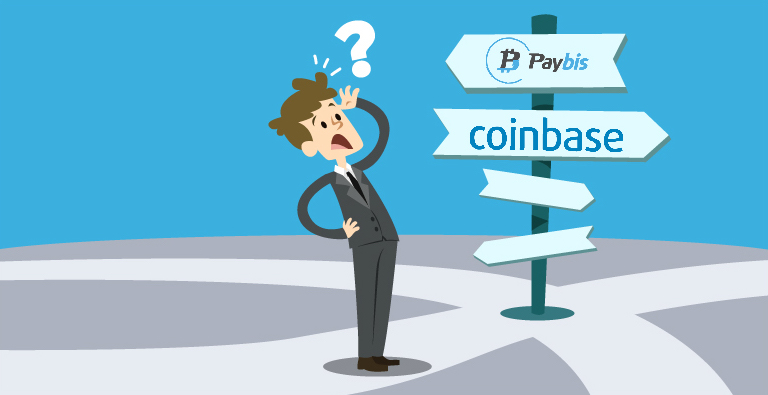
- If a bank keeps blocking transactions, payment method coverage decides whether you end up holding crypto. The trading fee on the sticker does not.
- Paybis is the pick for payment coverage and speed. It supports 35 payment methods in 180+ countries (48 US states), verifies most users in about 2 minutes, and shows every fee before you confirm. Fees start from 1.49%, with a 0% service fee on the first card purchase of each cryptocurrency. You can buy crypto with a card, SEPA, PIX, Skrill, Neteller, ACH, M-Pesa, SPEI or Blik.
- Binance is the pick for the lowest trading fee, at 0.1% on spot, if you are willing to learn a trading interface.
- Kraken Pro is the pick for low-cost trading with a long security record, at 0.40% maker and 0.80% taker on the entry tier.
- Gemini is a US option in practice. It closed every UK, EEA and Australian account on 6 April 2026.
- Support is the tiebreaker when a payment fails. Paybis answers live chat in about 15 seconds, 24/7, in 9+ languages.
Crypto assets can increase or decrease in value. Paybis is a payment gateway, not an investment service. This content is for informational purposes only and does not constitute financial advice.
Quick Answer: The best Coinbase alternative depends on which bottleneck you are hitting. For the lowest trading fee, Binance charges 0.1% on spot and Kraken Pro charges 0.40% maker and 0.80% taker on its entry tier, both through a trading interface. For payment coverage and speed, Paybis supports 35 payment methods in 180+ countries, shows every fee before you confirm, waives its 1.49% service fee on the first card purchase of each cryptocurrency, and answers live chat in about 15 seconds. Gemini is now effectively a US option, having closed all UK, EEA and Australian accounts in April 2026.
According to user reviews, three common issues can delay a Coinbase purchase before any crypto arrives: identity verification stuck in review, a bank that declines the card as suspicious, and support that answers with an automated reply. None of those are fee problems. They are access problems, and the fee tables that dominate this topic do not measure them.
Here’s what most comparison guides miss: low trading fees don’t matter if you can’t get money onto the platform. Your real bottleneck isn’t the 0.5% spread, it’s whether your payment method works and how fast you own crypto.
This guide compares the best Coinbase alternatives in 2026 based on payment flexibility, actual money-in-wallet timeframes, and whether you can talk to a human when something breaks.
This compares Coinbase alternatives by what actually blocks a purchase: payment method coverage and speed, not the headline trading fee. If your bank keeps declining the card, or you need a payment method Coinbase doesn’t support, the options below route around that.
Why Look for a Coinbase Alternative? (The Hidden Costs of “Popular”)
You probably know Coinbase as the default choice. It’s regulated, trusted, and publicly traded. But “popular” doesn’t mean “best for you.”
The Speed Problem
Coinbase ACH bank transfers take 3-5 business days to clear. Coinbase also places funds from bank account purchases on hold, so you will not have immediate access to send or cash out. Buy $500 of Bitcoin on Monday, and you can’t withdraw it until Friday at the earliest.
Card purchases are faster but come with their own issues. Banks flag crypto purchases as high-risk and decline them, and clearing the block usually means a call to the bank’s fraud line before you can try again.
Coinbase Fees: What You Need to Know
Coinbase does not publish what a card purchase costs.
Its fee disclosure page says fees “are calculated at the time you place your order and can be influenced by factors such as your chosen payment method, order size, market conditions, jurisdictional location, asset, and other costs we incur,” and that “fees may vary for similar transactions.” The two percentages it does name are a 1.875% Coinbase fee that “varies by payment method” and a 1% execution fee on limit orders.
On top of the fee sits the spread. Coinbase states that it “includes a spread in the quoted price,” that “Coinbase may retain any excess spread from a transaction,” and that “the spread may vary for similar transactions.” It is inside the price, not a line item, and Coinbase publishes no figure for it. Recent lawsuits allege the spread is hidden within quoted prices.
You can see your total on the preview screen before you confirm. What you cannot do is work it out in advance, or compare it to anything, because the inputs are not published.
Paybis takes the opposite approach. The service fee, the processing fee and the network fee are listed separately with the total, before you confirm. Fees start from 1.49%. On a card purchase Paybis will often cost more than Coinbase, and it shows you the number rather than building it into the exchange rate. For a wider look at where exchange fees hide, see the guide to hidden Coinbase fees and how to avoid them.
Coinbase Customer Support: Issues and Challenges
Coinbase routes help through its help centre and a virtual assistant, in its own words. Reaching a person takes longer, and customers on Trustpilot report exactly that.
When a payment is stuck, “check back in 24-48 hours” leaves you with no crypto and no answer.
The Payment Method Limitation
Coinbase lists six ways to buy crypto in the US: bank transfer (ACH), debit card, PayPal, Apple Pay, Google Pay and Samsung Pay. Wire transfers can add cash but cannot be used to buy. Credit cards are not supported.
All six are tied to a US bank account or card. Coinbase offers no e-wallet options like Skrill or Neteller, and its local payment rails cover three countries: ACH in the US, Interac and EFT in Canada, and Pix in Brazil. Everywhere else, you are back to a card or an international wire.
So if your bank declines the card and you are not in one of those three countries, you are out of options on Coinbase.
Quick Comparison: Top 5 Crypto Platforms by Payment Flexibility
| Platform | Published Fee | Payment Methods | Support Channel | Key Constraint |
|---|---|---|---|---|
| Paybis | 1.49% service + 4.5-8.5% processing, shown before you confirm | 35 | 24/7 live chat, ~15 sec | Costs more than order-book trading |
| Coinbase | Not published. 1.875% “varies by payment method”, plus an undisclosed spread | 6 in the US | Help centre and virtual assistant | ACH funds held 3-5 days |
| Binance | 0.1% spot. Card fee and spread shown at checkout | Cards, bank transfer, some local rails | Ticket queue | Trading interface required |
| Kraken | 1% instant, 1.5% custom orders. Pro 0.40% / 0.80% | Cards, bank transfer, some local rails | 24/7 live chat | 72-hour withdrawal hold on card buys |
| Gemini | 1.49% + up to 1% convenience. 3.49% by card | 6 | Email and chatbot | Closed UK, EEA and Australia, April 2026 |
Coinbase doesn’t publish what a card purchase costs
Its fee page says costs vary by “payment method, order size, market conditions” with an undisclosed spread built into the price. Paybis itemizes the service fee, processing fee, and network fee before you confirm.
ACH funds get held 3-5 days before you can move them
Buy $500 of Bitcoin on Monday on Coinbase and you can’t withdraw until Friday at the earliest. Paybis settles near-instantly and sends crypto straight to your wallet, no withdrawal step.
Your bank declines the card with no backup option
Coinbase lists six payment methods in the US, all tied to a US bank or card. Paybis supports 35 payment methods, so if one fails you can switch instead of stalling out.
Support answers with “check back in 24-48 hours”
Coinbase routes help through a help centre and virtual assistant. Paybis runs 24/7 live chat with a ~15 second average response time.
Option 1: Paybis (Best for Speed and Global Payment Methods)
Paybis is not the cheapest platform and does not try to be. It is built for one job: instant processing (<1 minute) and near-to-instant settlement that depends on the blockchain, using the payment method you already have.
Feature 1: 35 Payment Methods That Actually Work
Paybis supports 35 payment methods, including:
Cards and mobile wallets:
- Visa, Mastercard, Maestro
- Apple Pay, Google Pay, Samsung Pay
E-wallets:
- Skrill, Neteller, PayPal
- Advcash, Perfect Money
Bank transfers:
- SEPA (Europe), ACH (US), Wire transfers
- Faster Payments (UK), Interac (Canada)
Latin America:
- PIX (Brazil), PSE (Colombia), SPEI (Mexico)
- Khipu (Chile), WebPay (Chile), Mercado Pago
- AstroPay, Nequi, Daviplata, Bancolombia
Asia Pacific:
- UPI (India), PayID (Australia), FPS (Hong Kong)
- GrabPay, Touch ‘n Go, Boost (Malaysia/Singapore)
- PromptPay (Thailand), GCash, PayMaya (Philippines)
Africa and Middle East:
- M-PESA (Kenya), MTN Mobile Money
- Airtel Money, Vodafone Cash
See the complete payment methods page for availability in your country.
Why this matters: If one payment method fails, you can switch to another supported option. If you’re in Brazil, use PIX for instant payments instead of waiting for international wire transfers.
Transaction limits by payment type:
- Credit/Debit Cards: $5 minimum, $20,000 maximum per transaction
- Skrill/Neteller: $20 minimum, $200,000 daily limit
- Bank Transfer: $200 minimum, $1,000,000 maximum per transaction, $1,000,000 monthly
Limits can change without notice, so check the figure shown when you place the order.
Watch a step-by-step walkthrough of buying Bitcoin with a credit card on our YouTube channel.
Feature 2: The Transparent Calculator
Before you enter payment details, Paybis shows you exactly what you’ll pay:
Example: $500 Bitcoin purchase with credit card
- Service Fee: $7.45 (1.49%, waived on your first card purchase of each cryptocurrency)
- Processing Fee: $22.50 to $42.50 (4.5% to 8.5%, depending on the currency)
- Network Fee: about $1.50 to $5.00, set by the blockchain and variable with congestion
- Total: about $531.45 to $554.95 charged for $500 of Bitcoin
Learn how to use the crypto calculator to compare costs across different payment methods.
Feature 3: Identity Verification (AML/KYC)
If you provide all required information correctly, Paybis typically completes verification within about 2 minutes.
The 4-step process:
- Enter amount: Select cryptocurrency and dollar amount
- Verify ID: Upload driver’s license photo + selfie (automated approval)
- Pay: Enter card details or select alternative method
- Receive: Settlement time is near-to-instant (depends on the blockchain).
“I appreciate Paybis for its ability to facilitate instant cryptocurrency purchases using my card, which significantly enhances the efficiency of my transactions.” – Denis I. on g2
Feature 4: 24/7 Human Support
Paybis offers 24/7 customer support through email, a ticketing system, and live chat in the mobile app, in 9+ languages. Average response time: ~15 seconds.
Coinbase, by contrast, routes help through its help centre and what it calls a virtual assistant.
The Trade-Off: Higher Fees
Paybis is not the cheapest option. For a $500 purchase, you’ll pay more on Paybis than competitors. But here’s what you get for that premium:
- Verified in 2 minutes vs. 3-5 hours
- Bitcoin in wallet in 15 minutes vs. 3-5 days
- 35 payment options vs. six in the US
- Real human support with an average response time of about 15 seconds
Paybis waives the service fee on the first credit or debit card purchase of each cryptocurrency. The card processing fee and network fee still apply, so the first purchase shows the real speed at a lower total cost.
Security and Compliance
Paybis is registered with FinCEN as a money services business: 31000272911973 (US entity) and 31000277275964 (Poland entity). It operates in 48 of the 50 states. Paybis has run since 2014 with no documented security breaches and close to $6B processed (May 2026). Paybis also holds an EU MiCA CASP authorization (27-55/2026/6) and a PSD2 Payment Institution license (27-55/2026/7). Both were secured in May 2026 and cover all 27 EU member states. Paybis serves 7 million+ users and holds a 4.2 rating across 33,145 Trustpilot reviews (October 2026).
“Paybis is incredibly user-friendly, even for beginners. The interface is clean, the process is straightforward, and transactions are completed quickly. I especially appreciate the transparent fee structure, no hidden costs or surprises.” – Vladimir Z. on g2
Option 2: Binance (Best for Lowest Fees)
If you’re willing to learn a complex interface and can wait for support, Binance has the lowest published spot trading fee of the platforms compared here.
The Good: Unbeatable Trading Fees
Binance charges 0.1% for spot trading at its Regular User tier, for both maker and taker orders. For a $500 purchase through the order book, you pay $0.50 in fees.
The Bad: Complexity and Support
Binance’s homepage shows 600 trading pairs, Spot/Margin/Futures tabs, depth charts, and Place Limit Order buttons. If you don’t know what “maker/taker fees” means, you’ll spend an hour finding where to click “buy $500 Bitcoin with my Visa.”
Card purchases cost more than the order book, with the cost taken in a fee and a spread shown at checkout. Binance does not publish a single card rate. Banks often block transactions due to Binance’s regulatory issues. Support is notoriously poor with hour-long waits and unhelpful bot responses.
Verdict
Use Binance if you have time to learn trading terminology and want to save money long-term. Avoid if you’re buying crypto for the first time or value support.
Option 3: Kraken (Best for Advanced Security)
Kraken serves serious traders who prioritize security over simplicity.
The Good: Strong Security
Kraken has operated since 2011, with Kraken Pro fees starting at 0.40% for maker orders, which wait in the order book, and 0.80% for taker orders, which fill immediately. Those rates fall as 30-day volume grows. Kraken is available in over 190 countries globally with some restrictions.
The Bad: Confusing Dual Pricing, and a Withdrawal Hold
Kraken’s standard platform charges 1% on instant and recurring trades and 1.5% on custom orders, plus a card processing fee and a spread, both shown before you confirm.
Kraken Pro charges 0.40% to 0.80% at the entry tier, which is $2.00 to $4.00 on a $500 purchase.
There is also a catch on card purchases. Kraken states that:
- “Withdrawals may be subject to a 72-hour withdrawal hold for security.”
- “A $1,000 purchase restricts equivalent withdrawals in cash or crypto for 72 hours.”
Most beginners use the standard platform and overpay without knowing Pro exists. But Pro’s interface requires understanding order books and limit orders.
Verdict
Good for intermediate users willing to learn. If you understand how maker and taker orders differ and want strong security, Kraken works. If you need crypto in 10 minutes, or need to move it out quickly, look elsewhere.
Option 4: Gemini (Best for Regulatory Compliance)
Gemini positions itself as the most regulated US crypto exchange.
The Good: SOC 2 Certified
Gemini is SOC 2 certified and says it is available in “60+ countries, including all 50 U.S. states”. That figure predates its 2026 retreat: Gemini closed every customer account in the United Kingdom, the European Economic Area and Australia on 6 April 2026. Gemini charges a 1.49% transaction fee plus up to a 1% convenience fee on instant orders.
The Bad: Limited Options
If you are in the UK, the EEA or Australia, Gemini is not an option at all. Gemini supports only 6 payment methods: ACH, Wire, PayPal, Apple Pay, Google Pay, and debit cards. There is a $1,000 daily limit for debit card purchases, and card purchases carry a 3.49% platform fee on top of the transaction and convenience fees. No Skrill, Neteller, or regional payment methods like PIX.
Payment Method Breakdown: Which Platform Accepts What?
Credit and Debit Cards
Best for: Instant purchases when you need crypto today
| Platform | Card Fee | Processing Time |
|---|---|---|
| Paybis | 1.49% service + 4.5–8.5% processing | Instant |
| Coinbase | Not published. Shown on the preview screen | Instant |
| Binance | Not published. Fee plus spread at checkout | Instant |
| Kraken | 1% trading fee plus a card processing fee and spread | Instant |
| Gemini | 3.49% platform fee + 1.49% + up to 1% | Instant |
Cards are the fastest option but most expensive. Banks and card processors commonly decline crypto purchases. Coinbase says card processors “may block Coinbase or crypto transactions,” and that it is “determined by your card provider.”
Bank Transfers (ACH/SEPA)
Best for: Larger purchases when you can wait 1-5 days
ACH (US): Coinbase charges no fee for the ACH transfer itself and takes 3-5 business days, with funds held before you can withdraw. Binance also offers 0% deposit fees.
SEPA (Europe): Paybis charges 0.99% plus a processing fee of 0.05%, with a €2 minimum. Bank transfer purchases run from $200 to $1,000,000 per transaction, capped at $1,000,000 a month. Kraken offers free deposits.
E-Wallets (Skrill/Neteller)
Best for: Users who already have funds in these accounts
Paybis supports Skrill and Neteller with a 1.49% service fee plus a processing fee that varies by currency and amount, for example 4% on €0-99 and 3.65% on €200-299. Purchases run from $20 to $200,000 per transaction, capped at $200,000 a day. Coinbase, Kraken, and Gemini don’t support these methods.
Mobile Payments (Apple Pay/Google Pay)
Best for: Quick purchases on mobile devices
Paybis supports Apple Pay and Google Pay with same fees as cards. Most major platforms including Coinbase, Binance, Kraken, and Gemini also support both options.
Regional Methods (PIX, iDEAL, Others)
Best for: Users in specific countries where these methods are standard
PIX (Brazil): Binance integrated with Pix for instant payments, and Coinbase supports Pix for Brazilian customers too. Paybis also supports PIX. Brazil is the exception: it is one of only three countries where Coinbase offers a local rail.
Other regional options Paybis supports:
- iDEAL (Netherlands), Giropay (Germany)
- AstroPay (Latin America)
- Khipu, WebPay, PSE, SPEI
- M-PESA (Kenya)
How to Choose the Right Platform for Your Payment Method
Use this decision framework based on what you have available:
Card + need crypto now:
- Paybis (10-15 minutes total, human support if blocked, with alternatives if card fails)
Bank account + can wait:
- Coinbase or Binance (ACH is free on both, lowest total cost if a 3-5 day wait is acceptable)
Skrill or Neteller:
- Paybis (only major platform supporting both)
In Brazil:
- Paybis, Binance or Coinbase (all three support PIX for instant local payments)
50+ transactions per year:
- Binance or Kraken Pro (0.1% to 0.8% fees save more over time, requires learning trading interfaces)
In the US and want a New York trust charter:
- Gemini (US only in practice since April 2026)
Need to withdraw quickly after buying:
- Paybis (crypto goes straight to your wallet, no withdrawal step). Avoid Kraken card purchases, which carry a 72-hour hold
Need human help:
- Paybis (24/7 live chat, ~15 second average response) or Kraken (24/7 but inconsistent quality)
Watch this complete guide on buying and selling crypto on the Paybis wallet app.
Ready to own Bitcoin in 10 minutes? Create your free Paybis account now. You’ll verify your ID in about 2 minutes, enter the amount, and pay with your card or preferred method. Your first card purchase of each cryptocurrency has a $0 Paybis service fee, Paybis waives it so you can test its speed before paying the full premium. Download our mobile app for iOS or Android to buy crypto on the go.
What Happens After You Buy: Withdrawing Crypto Back to Cash
Most platform comparisons cover the buying side and stop there. But cashing out is just as important, and it’s where a lot of exchanges quietly make your life harder.
New to this entirely? The guide to crypto exchanges for beginners covers what to check before opening any account.
Coinbase holds withdrawal funds under a review period, the same as its buying delays. Kraken applies a 72-hour withdrawal hold on card purchases, in its own words restricting “equivalent withdrawals in cash or crypto for 72 hours.” Binance restricts fiat withdrawals based on country and verification level. When a withdrawal gets stuck, support on these platforms is just as slow as when a deposit does.
Worth thinking about before you pick a platform, not after. If you can withdraw Bitcoin to your bank account through the same place you bought it, you skip opening accounts on multiple services just to complete a round trip.
Prefer lower fees and don’t mind waiting a day? You can buy Bitcoin with a bank account via ACH or SEPA on Paybis, which tends to be the cheapest way in on both sides of the transaction.
CEX Fees vs DEX Fees: Which Actually Costs More?
The fee comparison in this article covers centralized exchanges. But a lot of people consider decentralized exchanges as a cheaper alternative and end up surprised.
DEX trades look cheap on the surface. The platform fee is often 0.3% or less. What people miss is gas fees on top, which can run $5 to $50+ depending on network congestion, plus slippage, the gap between the price you were quoted and the price you actually get, on thinly traded pairs. The Paybis breakdown of DEX fees vs Paybis puts the actual numbers side by side so you can see where DEX makes sense and where it doesn’t.
European users on digital banks also have an option most comparison guides don’t mention. You can buy Bitcoin with RevolutPay on Paybis, which is useful when your bank blocks a standard card transaction.
You want to buy now with the card or mobile wallet you already have.
Buy now, fees shown firstYou’d rather pay by bank transfer and don’t mind a short wait.
Save on fees, pay by bankCrypto assets can increase or decrease in value. Paybis is a payment gateway, not an investment service. This content is for informational purposes only and does not constitute financial advice.
Key Terminology
Spread: The difference between market price and the price you pay. Coinbase builds a spread into its quoted price and does not publish the percentage.
Fiat On-Ramp: A service that converts cash into cryptocurrency. What Paybis, Coinbase, and other exchanges provide.
KYC: Identity verification process requiring government ID and selfie. Required by regulations for crypto purchases.
Custodial Wallet: The platform holds your crypto. Convenient but you don’t control the private keys. Paybis and Coinbase are custodial.
ACH: US bank transfer system taking 3-5 business days. Cheapest but slowest deposit method.
SEPA: European bank transfer system taking 1-2 business days. Standard for EUR transactions.
Network Fee: Cost paid to blockchain miners to confirm transactions. Varies with congestion.
Slippage: The gap between the price you were quoted and the price your trade actually executes at. Common on decentralized exchanges and thinly traded pairs.
FAQ
What Is the Cheapest Alternative to Coinbase?
Binance charges 0.1% on spot trading, the lowest published rate of the platforms compared here, but it requires learning a trading interface and support is slow.
Is Coinbase Safe Compared to Binance?
Yes. Coinbase is a US public company (Nasdaq: COIN) with SOC 2 certification. Binance operates offshore with ongoing regulatory scrutiny.
Can I Buy Bitcoin with Skrill?
Yes on Paybis, with a 1.49% service fee plus a processing fee that varies by currency and amount. Purchases run from $20 to $200,000 per transaction, capped at $200,000 a day. Most major exchanges including Coinbase, Kraken, and Gemini don’t support Skrill or Neteller.
Why Do Banks Block Crypto Purchases?
Banks and card processors flag crypto transactions as high-risk. Coinbase states that card processors “may block Coinbase or crypto transactions,” and that this is “determined by your card provider.” Common triggers include first-time purchases, large amounts, or frequent transactions.
How Long Does Paybis Verification Take?
Most Paybis users receive automated verification approvals in about 2 minutes when all required information and documentation are correct. Manual reviews take up to 60 minutes for cases requiring additional documentation.
Can I Withdraw Crypto from Paybis to My Own Wallet?
Yes. Send and withdraw Bitcoin or altcoins to any external wallet address.
Which Coinbase Alternative Has the Most Payment Methods?
Paybis supports 35 payment methods across cards, bank transfers, e-wallets, and regional options like M-Pesa, PIX, and UPI. Coinbase lists six ways to buy in the US. No other platform in this comparison comes close on payment coverage.
Can I Use Skrill or Neteller to Buy Crypto?
Yes, but only on Paybis among the platforms compared here. Coinbase, Kraken, and Gemini don’t support either. Limits run from $20 up to $200,000 daily.
What Is the Cheapest Way to Buy Bitcoin Without a Card?
Bank transfer via ACH (US) or SEPA (Europe) is the lowest-cost route. Coinbase charges no fee for ACH itself. Paybis charges 0.99% plus a 0.05% processing fee with a €2 minimum for SEPA, from $200 to $1,000,000 per transaction. For a wider look at where exchange fees hide, see the guide to hidden Coinbase fees and how to avoid them.
Does Paybis Support Selling Crypto, Not Just Buying?
Yes. You can sell and withdraw funds back to your bank. The process mirrors the buying flow and uses the same verification you already completed.
Are There Withdrawal Limits When Leaving Coinbase?
Yes, and they are a common reason people look for alternatives. Coinbase applies daily withdrawal limits that vary by account verification level and holds funds from recent bank purchases before they can be moved. Large withdrawals can require additional review. On Paybis there is no withdrawal step for purchases: crypto is sent directly to the wallet address you specify at purchase, and sells pay out to your chosen payment method with limits shown upfront.
Disclaimer: Don’t invest unless you’re prepared to lose all the money you invest. This is a high‑risk investment and you should not expect to be protected if something goes wrong. Take 2 mins to learn more at: https://go.payb.is/FCA-Info