Why Your Crypto Withdrawal Failed: Common Rejection Reasons & Fixes
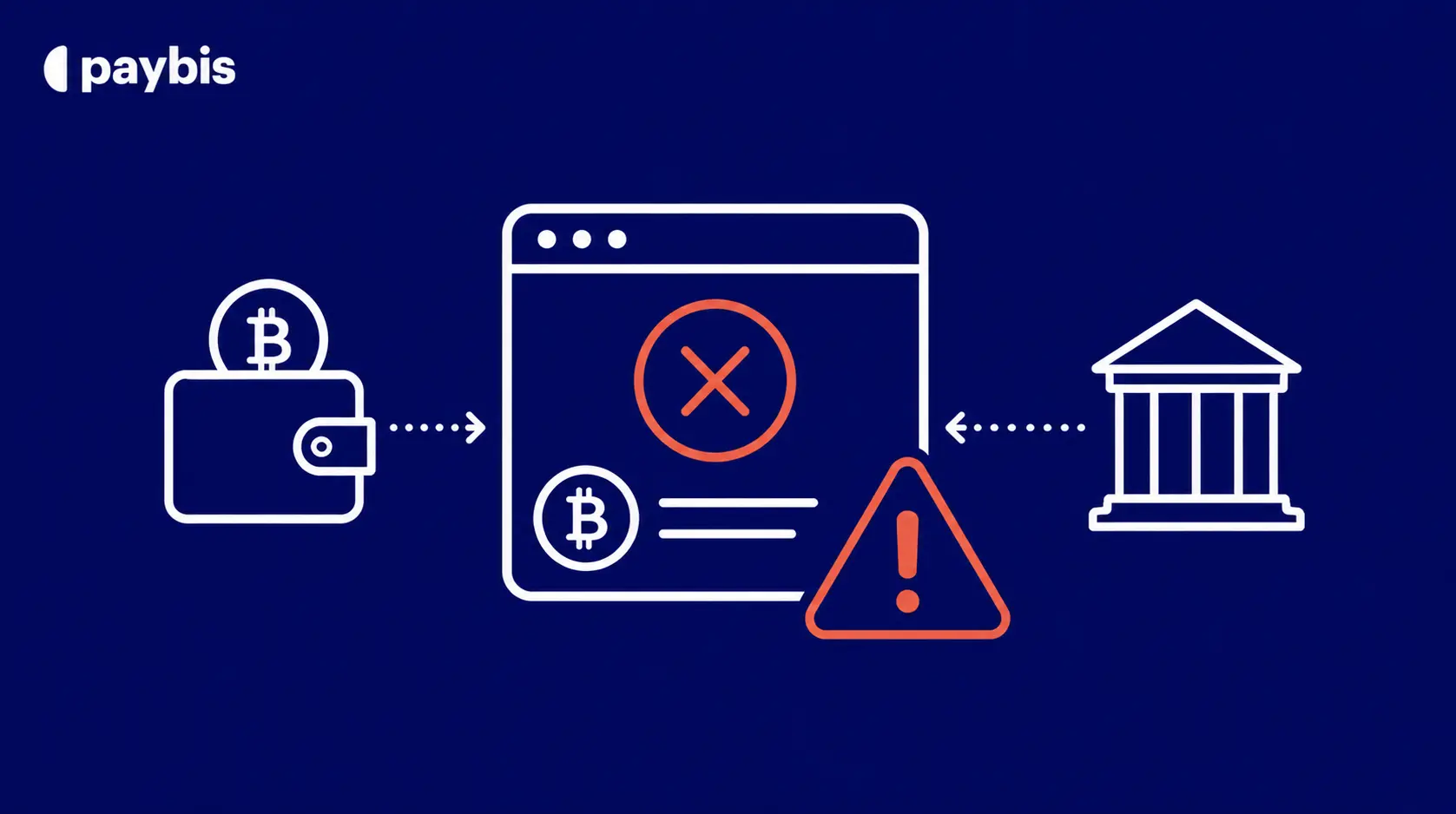
– A failed crypto withdrawal almost never means your money is gone. In most cases, it is the system protecting your funds. If you’re looking to withdraw BTC to a bank account, starting with a verified account reduces friction significantly.
– Most withdrawals fail for one of four predictable reasons: balance too low to cover the network fee, a wallet address typo or wrong network, a routine security hold, or a reached withdrawal limit. You can also buy Bitcoin with PayPal as an alternative funding method.
– When Paybis rejects a transaction, the full payment is automatically returned to your original payment source, no fees charged.
– Paybis 24/7 live support connects users to a human agent in an average of 15 seconds, every day of the year. No bots, no ticket queues.
Crypto assets can increase or decrease in value. Paybis is a payment gateway, not an investment service. This content is for informational purposes only and does not constitute financial advice.
Your crypto withdrawal failed, and your first thought is: “Is my money gone?” The short answer is no. A rejected withdrawal or a stuck transaction is the system doing exactly what it is designed to do, protecting your funds. If you want to move Bitcoin to a wallet, this guide breaks down the exact reasons withdrawals get stuck, pending, or rejected, and provides a step-by-step fix for each one. From decoding error messages to navigating the blockchain mempool (the waiting room where pending transactions queue up), everything here is actionable.
Diagnosing Failed Crypto Withdrawals
Withdrawal problems fall into three distinct categories. Rejected means Paybis stopped the transaction before it reached the blockchain. Pending means the transaction left the platform but the blockchain has not confirmed it. Stuck means the transaction reached the blockchain but has not been included in a block. Each category has different causes and different fixes.
Withdrawal Rejected: Your Next Steps
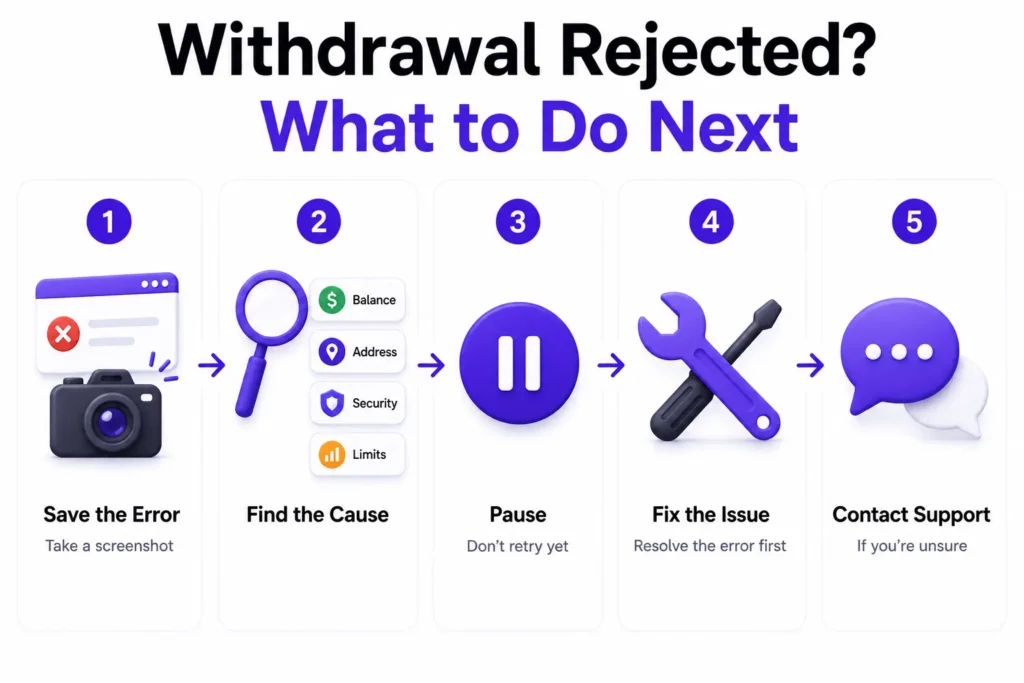
If you see a rejection notice before the transaction leaves, take these steps immediately:
- Screenshot the error message and note the exact wording displayed.
- Check the reason category: most rejections fall under insufficient funds, invalid address, security hold, or limit exceeded.
- Don’t retry immediately without fixing the root cause. Retrying the same transaction without first addressing the issue may delay the withdrawal further.
- Review the fix for your specific error in the sections below.
- Contact Paybis if the reason is unclear. Paybis live support connects you to a human in an average of 15 seconds.
Automatic Refund of Your Crypto
When Paybis rejects a transaction for security reasons, the policy is straightforward. Paybis charges no fees and automatically returns the full payment to the original payment source. You don’t need to do anything to initiate the refund. For canceled transactions, Paybis typically voids funds immediately. Depending on your card issuer, the returned amount can appear instantly or take up to a few business days to show on your statement.
Rejection vs. Account Ban: The Difference
A single rejected withdrawal does not mean your account has been suspended. Paybis security systems continuously monitor transactions for potential risk, and an automatic rejection is a technical response to a specific signal, not an accusation. The checks in place protect both you and the platform. They are not punitive measures for legitimate users.
Is Your Crypto Balance Too Low to Send?
Every blockchain transaction requires a network fee paid to the blockchain’s miners or validators (not to Paybis) to be processed. This fee is deducted from the sending balance. If your balance doesn’t cover both the withdrawal amount and the network fee, the transaction is rejected before it reaches the blockchain. For a broader look at how to cash out Bitcoin once your funds are accessible, the Paybis blog has a full guide.
Spotting the Low Crypto Balance
Common error messages for this issue include:
| Error Displayed | What It Means |
|---|---|
| Insufficient funds | Total balance does not cover withdrawal amount plus network fee |
| Amount too low to send | Requested amount may fall below the minimum after fees |
| Not enough balance to complete transaction | Available balance is lower than required to execute |
Even if a balance looks sufficient, funds can be temporarily unavailable in a few situations:
- Recently deposited crypto may still be awaiting blockchain confirmations before it is moveable.
- Funds tied to an open order are reserved until that order completes or is canceled.
- Source of Funds review may be required when transaction amounts reach certain thresholds, and access to funds may be affected while the review is in progress.
Steps to Enable Your Withdrawal
- Check the network fee: Open the withdrawal screen and note the fee displayed before confirmation.
- Calculate the maximum amount: Subtract the network fee from your total balance.
- Use “Send All”: This option automatically calculates the correct amount after fees.
- Wait for confirmations: If funds are still pending, wait for the required number of blockchain confirmations before retrying.
Wallet Address: Incorrect or Invalid Format
The wallet address is the destination for a crypto transfer. It is a long string of letters and numbers, and there is no “undo” once a transaction confirms on the blockchain. An incorrect address is one of the most common causes of failed or permanently lost transfers. If an address error has already occurred, recovery depends on whether the transaction reached the blockchain and whether you control both wallets involved. For more on keeping your assets safe, see the Paybis guide on whether blockchain wallets are safe.
Spotting Wallet Address Errors
| Error Displayed | What It Means |
|---|---|
| Invalid wallet address | The address format does not match the selected cryptocurrency |
| Address not supported on this network | The address belongs to a different blockchain network |
| Address checksum failed | A character does not pass format validation |
Typing Errors in Wallet Addresses
A single incorrect character makes the transaction invalid or, worse, sends funds to a different wallet. The rule is simple: always copy and paste the address, never type it manually. After pasting, verify the first four and last four characters against the original. This catches clipboard errors and address-swap malware that silently replaces copied addresses.
Correct Invalid Wallet Addresses
To fix an address error before submission:
- Clear and re-copy: Return to the address field, clear it, then go back to your receiving wallet and copy the address fresh.
- Verify the network: Confirm the correct blockchain network is selected. Bitcoin addresses only work on Bitcoin. Ethereum addresses only work on Ethereum. Sending ETH to a BTC address or using the wrong token standard results in permanent loss.
- Check the characters: Paste the address and compare the first and last four characters against the source.
Confirm Your Crypto Address
Some platforms require ownership confirmation for a new external wallet address before the first withdrawal processes. This typically involves:
- Sending a small test transaction first to verify the address is correct and accessible.
- Following a verification link sent by email to confirm the new address is being added intentionally.
When withdrawing to an external wallet for the first time, this address confirmation process adds an extra security layer to protect your funds. For a visual walkthrough of the process, the third-party guide How to Send Bitcoin from Paybis to Another Wallet? by CryptoBasics360 may be a helpful reference.
Why Your Withdrawal Is on Security Hold
Security automatically responds to account activity that deviates from established patterns. Password resets, new device logins, unusual transaction sizes, or transactions that cross compliance thresholds can all result in a temporary hold. These hold forms one layer of protection against unauthorized account access and exist specifically to prevent a compromised login from draining your balance. Understanding why instant crypto buys can sometimes take days helps put security holds in broader context.
Identifying Frozen Fund Alerts
Security hold messages typically include:
| Message | Trigger |
|---|---|
| Your withdrawal is temporarily on hold pending verification | Unusual activity detected or compliance threshold reached |
| Additional documentation is required to process this transaction | Source of Funds review triggered by transaction size |
| Please verify your identity to continue | Account or security verification required |
Paybis may delay fulfillment if risk of illegal activity or fraud is detected. This is standard practice for regulated financial platforms.
Rules for Safe Crypto Withdrawals
Following these practices reduces the chance of triggering a hold:
- Use the same device: Access your account from the same trusted device whenever possible.
- Don’t chain security changes: Avoid changing your password and attempting a large withdrawal in the same session, as password resets alone can trigger a hold period.
- Complete verification early: Verified accounts have significantly higher limits and fewer restrictions.
- Enable two-factor authentication: Adds an extra layer of protection to your account.
Steps to Resolve a Compliance Hold
- Check your email for a message from Paybis containing specific instructions on what documentation is needed.
- Upload the requested documents via the secure link provided in that email.
- Reply to confirm submission.
- Request a status update: If no update arrives within the stated timeframe, use Paybis live chat to check status. The average response time is 15 seconds.
Compliance verification timelines vary depending on the documents submitted and the review queue.
Security Checks Aren’t User Errors
A compliance hold is not a punishment and does not indicate wrongdoing. Source of Funds verification is a standard requirement once certain transaction thresholds are reached. It ensures compliance with financial security and anti-fraud regulations that protect users and the platform. Being subject to one is a normal part of using any regulated crypto gateway.
Understanding Your Crypto Withdrawal Limits
Paybis implements withdrawal limits as part of its compliance framework, and they scale with the verification level. The no-KYC flow allows up to $1,000 per year for low-risk users without requiring a document upload. Beyond these thresholds, identity verification is required. If you’d like to learn how to create and verify a Paybis account before hitting a limit, the step-by-step guide covers the full process.
Recognizing Limit Error Messages
| Message | Trigger |
|---|---|
| Your withdrawal is temporarily on hold pending verification | Unusual activity detected or compliance threshold reached |
| Additional documentation is required to process this transaction | Source of Funds review triggered by transaction size |
| Please verify your identity to continue | Account or security verification required |
Paybis Maximum Withdrawal Amounts
Verified accounts unlock significantly higher daily and monthly withdrawal limits.
If the requested amount exceeds your current limits, two options are available:
- Split the withdrawal into smaller amounts across multiple transactions, staying within daily limits.
- Upgrade your account by completing identity verification to access higher transaction caps.
Boost Your Crypto Withdrawal Limit
Completing identity verification with Paybis takes approximately 2 minutes. You’ll need a government-issued photo ID and a selfie. The automated system processes both, and your account limit upgrades immediately upon approval.
Why Your Crypto Withdrawal Is Stuck
A stuck withdrawal is different from a rejected one. The transaction left the Paybis platform and reached the blockchain, but it has not yet been confirmed. The money has not disappeared. It is sitting in what is called the mempool.
Identifying Withdrawal Error Signs
The blockchain mempool works like a waiting room for pending transactions. According to DEXTools, a submitted transaction enters this queue. It waits there until a miner or validator picks it up and includes it in the next block. Think of a blockchain block as a train with limited seats. Your transaction waits on the platform until there is room on board.
Here is what the flow looks like:
Transaction initiated → Enters mempool (waiting room) → Miner picks up transaction → Included in block → Confirmed
A status of “pending” or “processing” for more than 30-60 minutes on Bitcoin typically means the transaction is waiting in the mempool.
Why Network Issues Stop Withdrawals
Miners and validators prioritize transactions that offer a higher network fee. As DEXTools explains, only a certain amount of transaction data fits into each block. During high-demand periods (a major market event, a popular NFT launch), the mempool fills up and even standard transactions can wait hours. A transaction submitted with a fee too low for current network conditions may wait until congestion clears. Track whether a transaction is genuinely stuck by searching the Transaction ID (TxID) on a blockchain explorer for Bitcoin or Etherscan for Ethereum. For further context on how to swap crypto instantly when network conditions allow, the Paybis blog covers the key strategies.
Fix Your Failed Crypto Withdrawal
For a Bitcoin transaction stuck in the mempool, a transaction accelerator can help. ViaBTC’s transaction accelerator, for example, offers a limited number of free acceleration slots per hour, with paid options available for faster prioritization. These services rebroadcast your transaction to mining pools, increasing the chance of priority inclusion. For Ethereum transactions, the most effective approach is to increase the gas fee on the pending transaction, which directly incentivizes validators to prioritize it. Blockchain explorers track real-time network congestion so you can gauge when fee levels have dropped to a viable range.
Resolve Your Failed Crypto Withdrawal Now
If the issue cannot be resolved using the steps above, the Paybis support team is the fastest path to resolution.
Get Live Help for Failed Withdrawals
Paybis operates 24/7 live support staffed by human agents, with quick response times. Support covers 9+ languages, including English, Spanish, French, German, Italian, Portuguese, Russian, Chinese, and Japanese. There is no bot triage before you reach a person.
Your Crypto Withdrawal Info
Before contacting Paybis, have the following information ready to reduce resolution time:
- Transaction ID (TxID): Found in your transaction history on the Paybis platform or on the blockchain explorer.
- Exact error message: The specific text displayed at the time of rejection.
- Receiving wallet address: The full address entered during the withdrawal attempt.
- Amount and currency: The exact amount and cryptocurrency type.
- Payment method: How the original purchase was funded.
- Timestamp: The time and date of the withdrawal attempt.
- Screenshots: Any error screens captured during the process.
When Will Your Funds Be Released?
Hold durations vary by trigger. Contact Paybis live support for the most accurate and current status on a specific account, as hold timelines depend on the documents submitted and the volume of reviews in the queue.
| Trigger | What to Do |
|---|---|
| Source of Funds verification required | Submit requested documents via the email link, then contact support for status |
| Account or security verification required | Check your email for any instructions from Paybis and follow the steps provided |
| Password reset | Wait for the hold period to pass, or contact support to confirm the timeline |
| Periods of high platform activity (such as weekends or holidays) | Contact support for an estimated clearance time |
| Blockchain network congestion | Check the TxID on a blockchain explorer and consider a transaction accelerator |
What to Do About Failed Withdrawals
Most failed withdrawals resolve through one of the four fixes above. Here is a summary of the full decision path:
| Problem | Solution |
|---|---|
| Low balance | Recalculate for the network fee or use “Send All” |
| Address error | Re-copy the address, verify the network, and resubmit |
| Security hold | Check email, submit documents, contact support for status |
| Limit exceeded | Split the amount or complete identity verification |
| Stuck in mempool | Check TxID on a blockchain explorer, use a transaction accelerator |
Does a Rejected Withdrawal Flag My Account?
No. Automatic rejections are technical responses to specific signals in a transaction, not account-level actions. The system is designed to protect legitimate users, not penalize them. Account suspensions are a separate category reserved for serious compliance violations, not routine rejections tied to insufficient funds, address errors, or holds.
Returned Funds: When to Expect?
For transactions Paybis rejects before they reach the blockchain, funds are returned to the original payment source automatically with no charges. Return timelines vary depending on your payment method and provider. Depending on your card issuer, the returned amount may appear instantly or take up to a few business days to reflect on your statement.
When to Re-Attempt Withdrawal
Before trying again, confirm the root cause has been addressed:
- Corrected the wallet address and verified the network match.
- Adjusted the amount to account for the network fee.
- Completed any requested identity verification.
- Waited out the security hold or received clearance from support.
- Confirmed that any prior pending transaction has either confirmed or cleared from the mempool.
Will I Be Charged Fees for a Failed Withdrawal?
No. When Paybis rejects a transaction for security or compliance reasons, zero fees are charged. The full payment is automatically returned to the original payment source.
Ensure Successful Crypto Withdrawals
To minimize future withdrawal failures, keep four things consistent:
- Always copy-paste wallet addresses. Never type them manually.
- Verify the network before submitting. USDT on TRC-20 cannot be received at an ERC-20 address.
- Check that your balance covers the network fee before hitting confirm.
- Keep identity verification current. Verified accounts unlock higher daily and monthly limits, significantly reducing limit-based rejections, though holds for compliance review or unusual activity can still apply.
Paybis is FinCEN registered (Financial Crimes Enforcement Network, FINTRAC registered (Financial Transactions and Reports Analysis Centre, Canada), VASP registered (Virtual Asset Service Provider) in Poland. Paybis has operated without a security breach since 2014. Start a withdrawal or contact the support team directly at paybis.com.
Key Terminology
- Mempool: The waiting room for pending blockchain transactions. A transaction enters the mempool after submission and stays there until a miner or validator includes it in the next block. During high network demand, transactions with lower fees may wait hours or longer.
- TxID (Transaction ID): A unique string of letters and numbers assigned to every blockchain transaction. Entering a TxID into a blockchain explorer like Blockchain.com or Etherscan shows the real-time status of the transaction.
- Blockchain confirmation: Each time a new block is added to the blockchain after a transaction is included, that transaction receives one confirmation. Most platforms require a minimum number of confirmations before marking a transaction as complete.
- KYC (Know Your Customer): The identity verification process required by regulated financial platforms. With Paybis, this involves uploading a government-issued photo ID and a selfie, and typically completes in approximately 2 minutes.
- Source of Funds verification: A compliance review that may be required when transaction amounts reach certain thresholds. It confirms that funds come from a legitimate source and is standard practice across regulated crypto platforms.
FAQ
What Is the Most Common Reason a Crypto Withdrawal Fails?
The most common reasons are an insufficient balance to cover both the withdrawal amount and the network fee, or a wallet address that contains a typo or is formatted for the wrong blockchain network. Checking both of these before submission resolves the majority of rejections.
How Long Does Paybis Take to Refund a Rejected Withdrawal?
For transactions Paybis rejects before they reach the blockchain, funds are returned automatically with no charges. Paybis typically voids card transactions immediately, though your card issuer may take up to a few business days to show the returned balance on your statement.
What Is the Mempool and Why Does It Cause Stuck Transactions?
The mempool is a waiting room where blockchain transactions queue before miners or validators include them in a block. When network demand is high, transactions with lower fees wait longer.
Will a Failed Withdrawal Ban My Account?
No. A single rejected withdrawal is a technical security response, not an account-level action.
How Do I Increase My Withdrawal Limit?
Complete identity verification by uploading a government-issued photo ID and taking a selfie. The process takes approximately 2 minutes with Paybis, and verified accounts unlock significantly higher daily and monthly transaction limits. The Paybis account creation and verification guide may be a helpful reference for the verification steps.
What Should I Have Ready Before Contacting Support About a Stuck Transaction?
Have the following ready: Transaction ID (TxID), exact error message, receiving wallet address, amount and cryptocurrency type, payment method used, timestamp of the attempt, and screenshots of the error screen. Paybis live chat support is available 24/7 at paybis.com. The Paybis guide to sending and withdrawing Bitcoin may also be a helpful reference.
Can I Send Bitcoin to the Wrong Network by Accident?
Yes, and it can result in permanent loss if not caught before submission. Always confirm that the selected network in Paybis matches the network the receiving wallet supports. USDT exists on both Ethereum (ERC-20) and Tron (TRC-20), and these addresses are not interchangeable. If this has already happened, recovery depends on whether you control both wallets involved and whether the receiving chain supports the token.
Disclaimer: Don’t invest unless you’re prepared to lose all the money you invest. This is a high‑risk investment and you should not expect to be protected if something goes wrong. Take 2 mins to learn more at: https://go.payb.is/FCA-Info