Cash App and Crypto: What You Can and Cannot Do
- Bitcoin-first, not Bitcoin-only: Cash App’s crypto support centers on Bitcoin, but it rolled out USDC support in May 2026 and, through a MoonPay partnership, now lets users purchase tokens such as Ethereum, Solana, and XRP.
- Custodial holding: Cash App holds your private keys, and identity verification is required before you can withdraw to an external wallet.
- Fee transparency gap: Cash App’s spread is reflected in the price you see rather than itemized as a separate cost. Paybis lists every fee (service, processing, network) before you confirm.
- Step-up trigger: If you regularly move more than Cash App’s reported $2,000 per 24 hours withdrawal ceiling, or want a wider altcoin selection, a dedicated platform is the better fit. Paybis supports 90+ cryptocurrencies.
Crypto assets can increase or decrease in value. Paybis is a payment gateway, not an investment service. This content is for informational purposes only and does not constitute financial advice.
Quick Answer: You can buy, sell, and hold Bitcoin on Cash App, and the app also supports USDC (since May 2026) and tokens such as Ethereum, Solana, and XRP through a MoonPay partnership. Cash App is a custodial provider (it holds your private keys), so you must verify your identity before you can withdraw to an external wallet. Buy Bitcoin on Paybis with instant card transactions if you want a wider selection of coins.
Cash App users who already split bills and pay rent through the app often wonder whether they can buy crypto without a separate platform. The answer is yes for Bitcoin, and the convenience comes with specific trade-offs.
Cash App is a payment app with crypto features rather than a full crypto exchange. Its crypto support is Bitcoin-first (USDC arrived in May 2026, and a MoonPay partnership added access to tokens like Ethereum and Solana), which keeps the interface familiar but leaves the in-app experience limited compared with dedicated platforms. This guide walks through exactly what you can and cannot do, what it actually costs, and when a dedicated platform like Paybis becomes the better path.
What Can’t You Do With Crypto on Cash App?
Cash App limits crypto in six ways. Each one is covered in more detail below.
- No crypto-to-crypto trades: Selling Bitcoin always converts it to US dollars. You cannot swap it for another coin inside the app.
- No wide altcoin selection: Beyond Bitcoin and USDC, other tokens are available only through the MoonPay partnership. Bitcoin Cash (BCH) and Bitcoin SV (BSV) are not supported.
- No private key control: Cash App is a custodial platform (it holds the private keys for you), so you do not control the keys while your Bitcoin stays in the app.
- No itemized markup: The spread (the gap between the market price and the price Cash App offers) is built into the displayed price rather than listed as a separate fee.
- No withdrawals without verification: You must upload a photo ID before sending Bitcoin to an external wallet, and reported limits apply to how much you can send.
- No direct Bitcoin spending: The Cash Card spends your US dollar balance, so you must sell your Bitcoin first.
How Do You Take Bitcoin Off Cash App?
You can take Bitcoin off Cash App by verifying your identity, enabling withdrawals, and sending it to an external wallet address. The initial purchase is simple, since purchased Bitcoin appears in your balance almost immediately. Moving it to a wallet you control requires specific steps and patience. According to Cash App’s guidance, identity verification is required before enabling Bitcoin transfers to external addresses.
How to Sell Bitcoin for Dollars
Selling is the reverse. Tap the Bitcoin tile, choose Sell, enter the amount, and confirm. The proceeds land in your Cash App balance almost immediately. You can spend them with your Cash Card, transfer to a bank, or hold as USD. Cash App applies a spread on sales as well as purchases, which means you may receive slightly less than the market rate.
How Do You Move Bitcoin to Private Wallets?
To withdraw Bitcoin to a wallet you control, you must first enable withdrawals in the app settings, which involves uploading a photo ID and verifying your identity. Once verified, you can reportedly send up to $2,000 worth of Bitcoin every 24 hours, up to $5,000 per week, per Cash App’s published withdrawal limits. Withdrawal timing varies: Cash App states that transfers can take hours to be confirmed on the blockchain depending on network activity, and standard withdrawals complete in 24 hours or less. Per Cash App’s published fee page, standard-speed Bitcoin withdrawals carry no fee, while faster withdrawal options may incur an additional cost.
How to Receive Crypto into Cash App
You can receive Bitcoin from other wallets, with deposits limited to Bitcoin. Tap the Bitcoin tile, select the deposit option, and Cash App generates a unique wallet address, which user guides say may change after each successful deposit for security. Cash App reportedly sets deposit limits for incoming Bitcoin that apply over a 7-day period. Deposits may take several hours to appear in your balance depending on network traffic.
What Crypto Can You Buy on Cash App?
Cash App’s crypto support is Bitcoin-first but no longer Bitcoin-only. Per Cash App’s May 2026 announcement, it began rolling out USDC support that month, and an August 2026 partnership with MoonPay lets customers purchase tokens such as Ethereum, Solana, and XRP. These additional assets are provided through MoonPay rather than Cash App’s native trading infrastructure, so the selection remains limited compared with dedicated exchanges. The app reportedly does not support Bitcoin Cash (BCH) or Bitcoin SV (BSV), despite the similar names.
Can You Sell Bitcoin Directly on Cash App?
Yes, but only for US dollars. Because Cash App’s native support centers on Bitcoin, selling it always converts to US dollars in your Cash App balance. You cannot trade Bitcoin for another cryptocurrency directly within the app. To diversify into other assets, you typically either use Cash App’s MoonPay integration or sell to USD, withdraw to your bank, then use a different platform to buy the altcoins you want.
Why Doesn’t Cash App Natively Support Ethereum or Other Coins?
Cash App has long pursued a Bitcoin-first strategy, and its own messaging describes the app as “built for living on bitcoin”. That focus keeps the interface simple for casual users but has historically limited portfolio diversification across Ethereum, Solana, or other cryptocurrencies, though the USDC rollout and the MoonPay partnership signal some broadening of that stance.
How Can You Add Altcoins to Your Portfolio?
If you want a broad range of cryptocurrencies in one place, you will likely want a separate platform. Cash App’s MoonPay partnership now lets users buy tokens such as Ethereum and Solana, but the overall selection and features remain limited compared with dedicated exchanges. Moving to a dedicated exchange or payment gateway typically means creating a new account, completing another identity verification, and managing multiple apps for different assets.
How to Buy Crypto on Cash App
Here is the exact process for purchasing Bitcoin on Cash App. The same general flow applies to USDC and MoonPay-enabled tokens.
Step 1: Find Your Bitcoin Dashboard
Open Cash App and tap the Money tab (the banking icon). Look for the Bitcoin tile, which is displayed prominently near your balance. If you do not see it, check that your app is updated to the latest version. Tap the tile to open your Bitcoin dashboard.
Step 2: Set Your Purchase Amount
Tap Buy. Enter the amount you want to spend in US dollars or the amount of Bitcoin you want to acquire. The minimum purchase is reportedly $1. Cash App displays the current price and the estimated amount of Bitcoin you will receive before you confirm. Keep in mind that the price shown is said to include Cash App’s spread, which means you may pay slightly more than the market rate.
Step 3: Confirm Your Crypto Order
Review the order details on the confirmation screen. This shows the total cost, including any fees. Confirm the purchase using your PIN or biometric authentication, such as Touch ID or Face ID. The Bitcoin appears in your Cash App balance almost immediately, though withdrawals require completed identity verification.
Where Is Your Bitcoin Stored on Cash App?
Your Bitcoin stays in Cash App’s custodial wallet. This means Block, Inc. (the company behind Cash App) holds the private keys on your behalf. You have a claim to the Bitcoin value, but you do not control the cryptographic keys that prove ownership on the blockchain. To move to self-custody, you must verify your identity and withdraw to an external wallet address.
How Do You Sell Bitcoin Within Cash App?
Selling converts your Bitcoin back to dollars instantly, but the process has specific requirements.
Step 1: Specify Your Crypto Sell Order
Tap the Bitcoin tile from the Money tab, select Sell, and choose the amount of Bitcoin you want to convert to USD. You can sell your entire balance or a partial amount. Cash App shows you the current exchange rate, which includes their spread.
Step 2: Verify Your Withdrawal Details
Confirm the sale amount and review the final USD value you will receive. The proceeds appear in your Cash App balance immediately upon confirmation. You can then cash out to your linked bank account (standard 1-3 business days, or instant for a fee), spend using your Cash Card, or hold the balance in the app.
When Do Funds Reach Your Cash App Balance?
You can access funds almost immediately after you confirm the sale, with no stated waiting period for the USD to appear in your Cash App balance. If you transfer to a bank account, standard transfers take 1-3 business days. Instant deposits to your debit card incur an additional fee, which appears in the app before you confirm.
What Are the Hidden Costs of Buying Bitcoin on Cash App?
Cash App’s fee structure includes a spread that many users miss because it is built into the price rather than listed as a separate line item.
What Fees Does Cash App Charge for Crypto?
Cash App reportedly charges two costs on Bitcoin transactions: a service fee and a spread. Cash App’s fees vary by purchase amount, shown before you confirm. The spread is the difference between the market price of Bitcoin and the price Cash App offers you. It appears to vary with market conditions rather than being published as a fixed percentage, and users see it reflected in the final price before they confirm.
What Is the Spread (Buy vs. Sell Price Difference)?
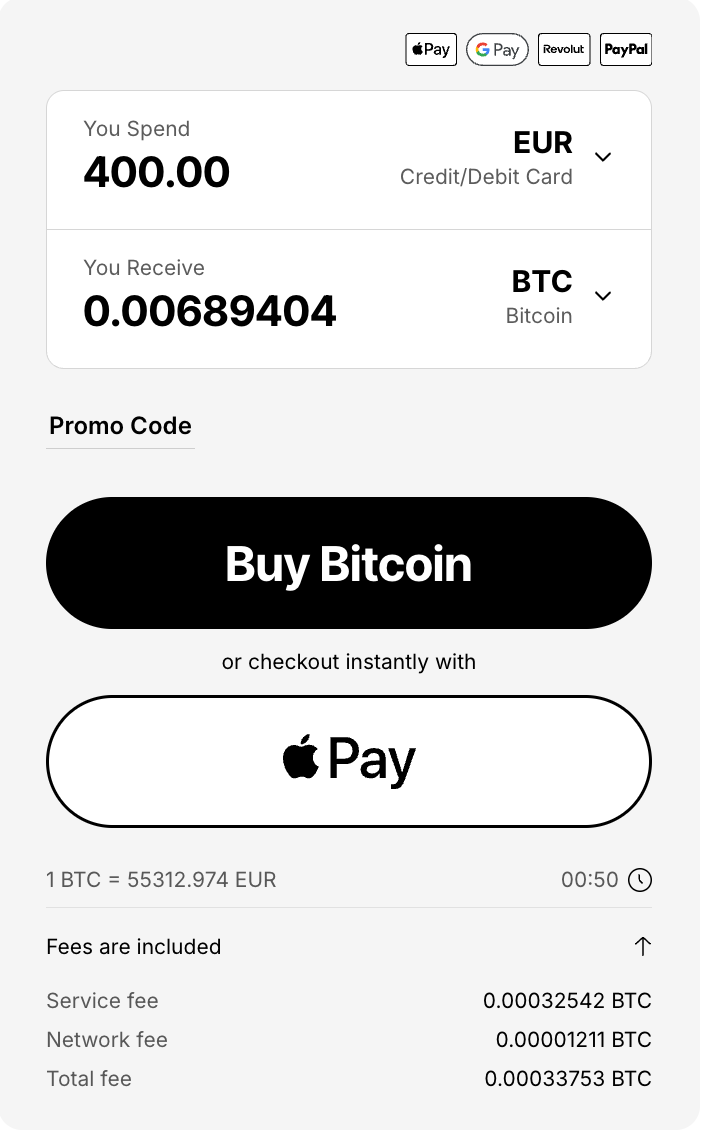
The spread is the hidden cost many users miss. When you buy Bitcoin on Cash App, you pay slightly above the market price, and when you sell, you receive slightly below it. This difference is effectively Cash App’s margin. Unlike Paybis, which shows service, processing, and network fees as separate line items before you confirm, Cash App appears to reflect the spread in the displayed price rather than listing it separately. You see one number, which includes this markup.
What Network Fees Apply to Withdrawals?
Standard-speed withdrawals are free, as covered above. Network fees (the cost paid to Bitcoin miners to process a transaction on the blockchain) still exist on the network itself, but Cash App’s standard withdrawals do not pass them on to you.
How Much Are the Fees on a $500 Crypto Order?
Here is how costs compare on a $500 Bitcoin purchase:
| Fee Type | Cash App (Estimated) | Paybis (Card Purchase) |
|---|---|---|
| Service Fee | ~$7.50 (1.5% at the $500 tier) | $7.45 (1.49% after your first card purchase of that cryptocurrency, first card purchase per cryptocurrency = 0% service fee) |
| Processing Fee | Included in quoted price | $22.50 – $42.50 (4.5%-8.5%) |
| Network Fee | Not separately itemized | Variable, based on blockchain conditions |
| Estimated Total | ~$507.50 – $511.25 (including a spread of up to 0.75%) | ~$529.95 – $549.95 plus network fee |
Note: Cash App does not itemize the spread as a separate fee, while Paybis shows all fees before you confirm. Cash App figures are estimates based on its published fee schedule. Exact fees appear on the confirmation screen. Paybis fees reflect the Paybis fee structure, and its network fee updates automatically based on actual blockchain conditions at the time of the transaction.
Can You Move Crypto Out of Cash App?
You can move Bitcoin out, but only after verification, and only to Bitcoin addresses. Cash App supports Bitcoin withdrawals to external Bitcoin wallets. Availability of transfers for other supported assets depends on the asset and the service providing it.
Can You Withdraw to Personal Crypto Wallets?
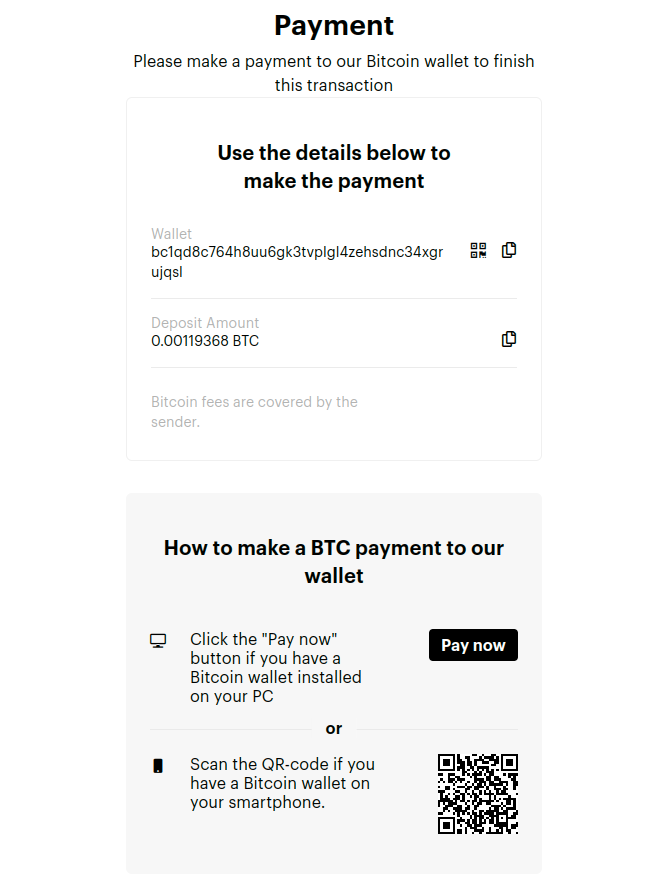
Yes, you can withdraw to external wallets, including hardware wallets or software wallet apps like Exodus and Electrum. You must first enable withdrawals by verifying your identity with a photo ID. Once enabled, you can send Bitcoin to any valid Bitcoin address. The minimum withdrawal is reportedly 0.001 BTC. Standard withdrawals complete in 24 hours or less.
Does Cash App Hold Your Private Keys?
Yes. Cash App is a custodial platform. This means the company controls the private keys associated with your Bitcoin. You do not have access to your seed phrase or private keys while the Bitcoin remains in Cash App. This differs from non-custodial wallets where you alone control the keys. If Cash App experiences technical issues, restricts your account, or faces regulatory action, you cannot access your Bitcoin until the issue resolves. You are trusting Cash App to honor your claim to the funds.
Can You Buy and Sell Bitcoin Freely on Cash App?
You can buy and sell freely within the app once you verify your identity. The Bitcoin remains in Cash App’s custody until you specifically withdraw to an external wallet address you control. Standard-speed withdrawals are free, as covered above.
How Can You Move Beyond Basic Cash App Crypto Limits?
Moving to a dedicated platform removes most of Cash App’s crypto limits. Cash App works for simple Bitcoin purchases, but you will likely outgrow its limitations quickly if you want to hold multiple assets or move funds to a wallet you control.
Where Can You Buy Altcoins Beyond Cash App?
To buy Ethereum, Solana, or other cryptocurrencies, you need a platform that supports them. Unlike Cash App, which requires you to sell to USD before moving elsewhere, Paybis lets you buy specific coins directly with instant card transactions.
What Hidden Costs Come With Buying on Cash App?
The spread on Cash App means you never know the exact fee percentage until you see the confirmation screen. This lack of transparency makes budgeting difficult. Paybis shows the service fee starting from 1.49% (0% on your first card purchase per cryptocurrency), processing fee (4.5-8.5%), and network fee before you confirm. You know precisely what you pay and why.
“The simplicity of completing my first crypto purchase using the app. Beautiful.” – Nicole on Trustpilot
Paybis has 33,505 Trustpilot reviews with a rating of 4.2 as of 17 November 2026, with users highlighting speed and fee transparency.
When Should You Upgrade Your Trading Setup?
A dedicated platform makes sense in these situations:
- You want to buy more than $2,000 of Bitcoin regularly (Cash App’s reported $2,000 daily withdrawal limit makes regular larger purchases impractical).
- You want to hold Ethereum or other assets alongside Bitcoin.
- You want true ownership of your private keys without waiting for verification.
- You need faster access to your funds without Cash App’s withdrawal limits.
When Should You Switch to Full Exchanges?
If you later want features like limit orders or price charts, dedicated exchanges offer those, but most buyers who just want to own crypto do not need them. Cash App remains Bitcoin-focused but also offers USDC and access to additional cryptocurrencies through MoonPay. Paybis offers the middle ground: a simpler interface than trading platforms, instant card transactions, and clearer fees than both Cash App and exchanges.
Ready to Buy More Than Bitcoin?
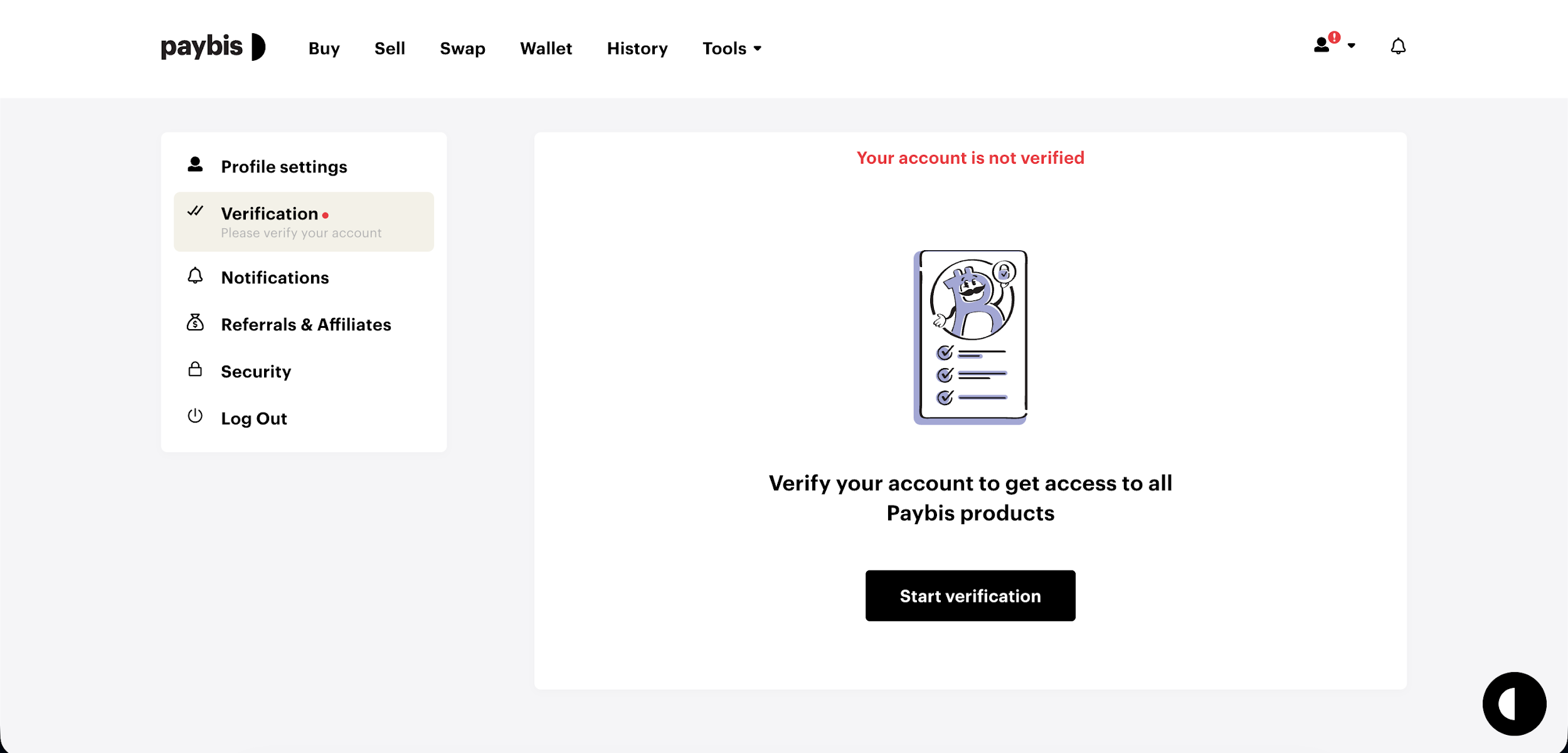
Paybis is a crypto payment gateway that lets you buy crypto with a debit or credit card. Paybis operates in 180+ countries and supports 35 payment methods and 90+ cryptocurrencies. Identity verification takes ~2 minutes (photo ID + selfie), and 24/7 live chat support responds in ~15 seconds on average.
Paybis also uses a custodial model for ease of use but is FinCEN-registered and PCI DSS Level 1 compliant, with no security breaches since 2014.
Buy Bitcoin on Paybis, complete identity verification, and see your total cost before you confirm. Fees start from 1.49% (first card purchase per cryptocurrency = 0% service fee).
Key Terminology
- Spread: The difference between the buy price and sell price of an asset. Cash App includes this in the displayed price rather than showing it as a separate fee.
- Network Fee: The cost paid to blockchain miners to process and confirm a cryptocurrency transaction. This varies based on network congestion.
- External Wallet: A cryptocurrency wallet where you control the private keys, such as a hardware wallet or software wallet app, separate from any exchange or payment platform.
- Private Keys: Cryptographic codes that prove ownership of cryptocurrency and allow you to authorize transactions. Whoever controls the private keys controls the funds.
- Custodial Wallet: A wallet where a third party (like Cash App or Paybis) holds your private keys on your behalf. You have a claim to the funds but do not control the keys directly.
- Blockchain: The system that verifies and records every cryptocurrency transaction on a shared public ledger. Once the network confirms a transaction on the blockchain, it cannot be changed.
FAQ
Can You Buy Crypto on Cash App With a Debit Card?
Yes, you can use a linked debit card or your Cash App balance to buy Bitcoin. The process is identical regardless of funding source.
Can I Buy Crypto on Cash App if I'm Under 18?
No. Per Cash App’s published eligibility requirements, users must be at least 18 years old to access Bitcoin features. You must verify your age during the identity verification process.
Does Cash App Charge Fees to Send Bitcoin to Another Wallet?
No, not at standard speed. Per Cash App’s published fee page, standard-speed Bitcoin withdrawals carry no fee. Faster withdrawal options may incur an additional cost.
What Happens if I Delete Cash App With Bitcoin in It?
Deleting the app does not delete your account. Reinstall and log in to access your Bitcoin, or withdraw to an external wallet before uninstalling.
Can You Buy Crypto With Cash App Card at Stores?
No. The Cash Card spends your Cash App balance in USD, not Bitcoin directly. You must sell your Bitcoin to USD first, then spend with the card.
Disclaimer: Don’t invest unless you’re prepared to lose all the money you invest. This is a high‑risk investment and you should not expect to be protected if something goes wrong. Take 2 mins to learn more at: https://go.payb.is/FCA-Info