How to Sell and Cash Out BNB
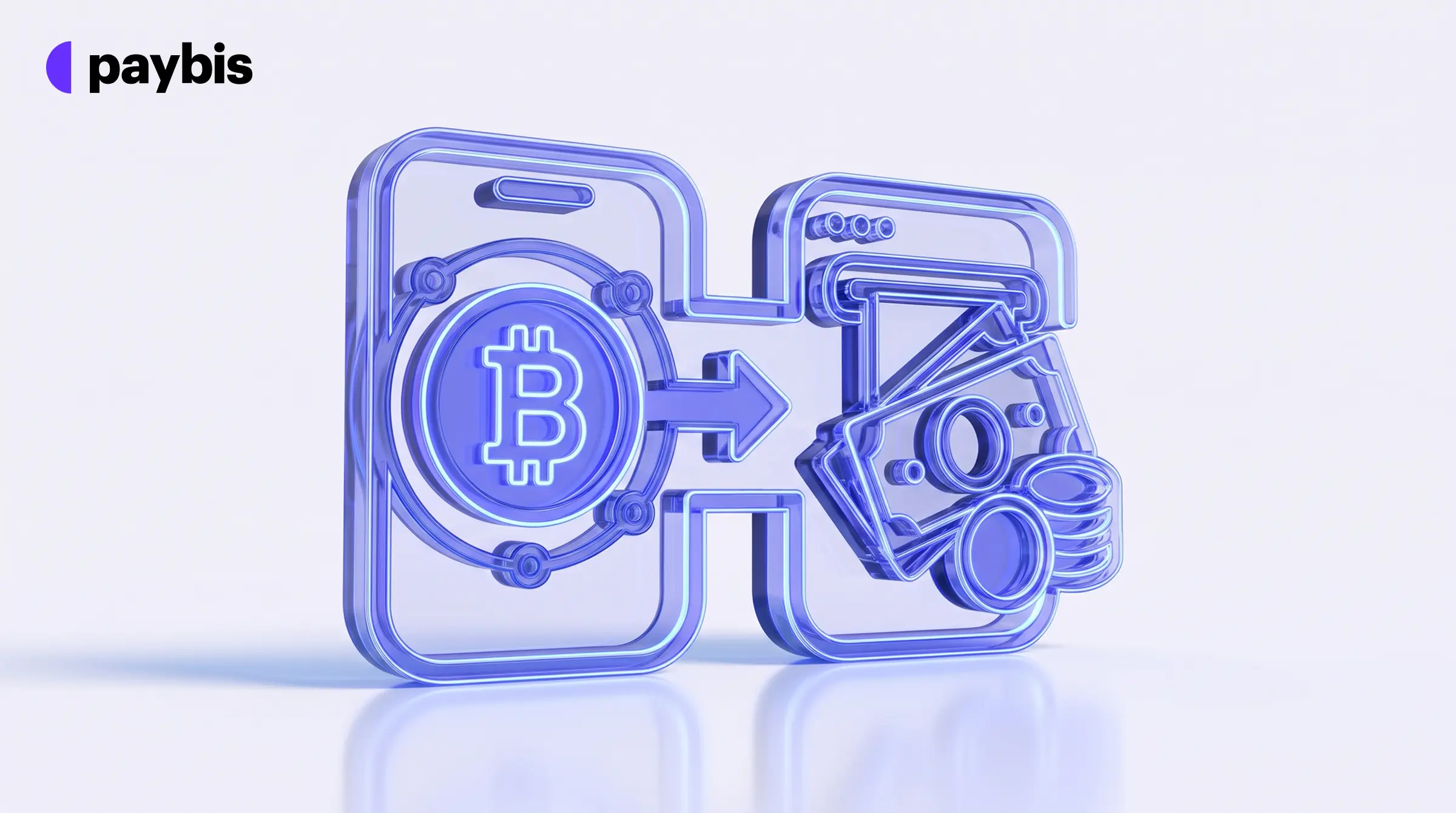
- Selling BNB takes two steps: sell it for your local currency, then withdraw to your bank account or card.
- Binance (0.1% spot fee) and Kraken list BNB for selling. Paybis does not currently sell BNB but supports selling BTC, ETH, USDC, and six other cryptocurrencies.
- Three fees can reduce your payout: a Service Fee, a Processing Fee, and a Network Fee paid to blockchain validators.
- Payout speed depends on the method: seconds for UK Faster Payments, usually within 1 business day for SEPA, 1-3 business days for Paybis card payouts, and typically 1-5 business days for SWIFT.
- P2P sales let you set your price, but you carry the risk if a buyer doesn’t pay.
- In the US, the IRS treats digital assets as property, so a sale can create a taxable gain or loss.
- Paybis shows all fees before you confirm and holds 33,238 Trustpilot reviews with a rating of 4.2 or “Great” (October 2026).
Crypto assets can increase or decrease in value. Paybis is a payment gateway, not an investment service. This content is for informational purposes only and does not constitute financial advice.
Quick Answer: Selling BNB for cash takes two steps: sell your BNB for your local currency on a platform that supports it, then withdraw to your bank account or card. Binance and Kraken both list BNB. Paybis supports selling BTC, ETH, USDC, and six other cryptocurrencies, with identity verification in about 2 minutes and every fee shown before you confirm. Paybis operates in 180+ countries, supports 90+ cryptocurrencies and 35 payment methods for buying, is FinCEN-registered, and is PCI DSS Level 1 compliant.
For BNB, Kraken offers an instant sell flow that skips the order book. This guide covers the exchange sell flow, what the fees cost you, and how long each payout method takes.
Understanding the BNB Selling Process
Learning how to sell BNB comes down to one idea: you convert BNB into your local currency on a platform, then withdraw that currency to your bank account or card. Most regulated methods follow this two-step pattern, whether you use a trading exchange or a payment gateway. Peer-to-peer sales work differently: you sell directly to another person and they pay you by bank transfer or another agreed method.
Steps to Sell BNB for Your Bank
On an exchange, the flow is: verify your account, deposit BNB, sell it for your local currency, then withdraw to your bank. Not every platform sells BNB, including Paybis, so check the supported-asset list first. Note that not all payment gateways support BNB on the sell side. Check the platform’s supported-asset list before you start.
For the complete walkthrough, see the Step-by-Step section below.
Fees Deducted from Your BNB Sale
Three fee types come out of every sale, and you should see all three before you confirm:
- Service Fee: The platform’s commission for handling the sale.
- Processing Fee: What the payment processor charges to move money to your card or bank.
- Network Fee: The fee blockchain validators charge to process your transaction on the blockchain. This fee updates automatically based on network demand.
Paybis states that all amounts payable to Paybis are displayed upfront before you proceed with an order, with no hidden or retroactive charges. If a platform cannot show you a full breakdown before you pay, treat that as a red flag.
How to Withdraw BNB to Your Bank Account
You have a few realistic options for cashing out BNB to your bank account. Each trades cost against convenience.
Cash Out BNB via Major Exchanges
Exchanges like Binance and Kraken let you sell BNB on their spot markets (live markets where crypto trades at the current price) and withdraw to a bank. Binance offers bank withdrawals in several local currencies, with availability depending on your country.
The trade-off is complexity. Exchanges are built for traders, so you face trading pairs, order types, and withdrawal tiers before you see a dollar. Binance’s 0.1% spot trading fee is a low headline rate. For the cryptocurrencies Paybis supports, its sell flow skips the trading interface and includes 24/7 human support.
Sell Crypto Without a Trading Interface
Payment gateways skip the trading layer entirely. You enter an amount, see exactly what you will receive, send your crypto, and get paid. Use this route when speed and simplicity matter more than saving a percentage point on fees.
Paybis uses this model for its supported sell assets. These currently include BTC, ETH, USDC, ADA, DOGE, SOL, POL, LTC, and TON, as listed in the Paybis selling guide (updated 3 December 2025). BNB is not currently on the Paybis sell list. If you hold BNB, use an exchange such as Binance or Kraken for the cash-out step, then use Paybis for any supported crypto you want to sell separately.
If you want to see the flow before trying it, the step-by-step sell video walks through selling crypto to a card payout.
P2P Crypto Marketplace Options
Peer-to-peer marketplaces let you sell BNB directly to another person, often at rates you set yourself. On Binance P2P, fees range from 0% to 0.35% depending on your local currency market. Sellers who post an ad set their own price.
The catch is risk. You handle the other person in the trade yourself, and disputes can be complex. If a buyer marks payment complete without sending money, you can file an appeal and Binance support will review the case, but resolution timelines and outcomes vary.
If you go this route, only trade with verified buyers, never release crypto before payment clears, and keep records of every chat and transfer. For most casual holders, a regulated platform removes the risk of a buyer not paying. Read the guide to choosing a regulated exchange before you pick any platform.
Calculating Your True Net Proceeds After Fees
Here is how trading fees reduce your payout on a $500 BNB sale before you commit.
Trading Fees When Selling Crypto
Fee structures differ sharply between exchanges and gateways:
| Platform | Fee Type | Rate |
|---|---|---|
| Binance | Spot trading (maker/taker) | 0.10% / 0.10% |
| Coinbase Advanced | Spot trading (base tier) | 0.40% maker / 0.60% taker |
| Kraken Pro | Spot trading (Tier 1) | 0.40% maker / 0.80% taker |
| Kraken (instant sell) | Flat fee | 1% + spread |
| Paybis | Service Fee | Not available for BNB |
Maker/taker means the fee you pay depends on whether you place a new order or fill an existing one.
These figures cover only the sale execution. Withdrawal fees, Network Fees, and bank transfer costs add to the total. Binance’s base trading fee is low. Paybis answers with instant processing and 2-minute verification. A human on live chat is available in about 15 seconds when you need help.
Coinbase’s simple buy and sell also adds a spread (the gap between the price you get and the market price) on top of its fee.
Bank Transfer Costs and Payout Times
After the sale, the withdrawal itself can cost money. Exchanges charge a withdrawal fee per cash payout that varies by method and currency. Check the withdrawal screen before you confirm.
What You Will Receive
Here is how a $500 BNB sale breaks down across the two exchanges covered in this guide:
| Line Item | Amount |
|---|---|
| Sale amount | $500.00 |
| Binance spot fee (0.1%) | $0.50 |
| Kraken Pro taker fee (0.80%) | $4.00 |
| Kraken instant sell (1% + spread) | $5.00+ |
| Withdrawal fee | Shown on the withdrawal screen |
Binance’s spot fee is the lowest of the two (source: Binance fee schedule). Kraken Pro charges 0.80% at the base taker tier, while Kraken’s instant sell adds roughly 1% plus a spread on top (source: Kraken fee schedule and Kraken vs Kraken Pro comparison page). Withdrawal fees are shown separately on the withdrawal screen and vary by method and currency.
How Fast Will My BNB Cash Out Arrive?
Payout speed depends on your method and location. The table below shows the realistic timelines for each option. If you sell a Paybis-supported crypto, identity verification takes about 2 minutes, a time FXEmpire’s review confirmed.
“My transactions are always quick and efficient. And that is what I’m looking for thank you” – Joe Elwin Hulse on Trustpilot
Bank Transfer Timelines by Method
| Method | Typical Timeline |
|---|---|
| Card payout (Paybis) | 1-3 business days |
| UK Faster Payments | Usually seconds, occasionally up to 2 hours |
| SEPA (EU bank transfers) | Usually within 1 business day |
| ACH (US bank transfers) | Same day to 2 business days |
| SWIFT (international wires) | Typically 1-5 business days |
These are bank timelines. Paybis processes bank payouts on business days (Monday to Friday), so a sale placed on a weekend is paid out the next business day. Paybis bank payouts use SEPA (EUR) and SWIFT. UK Faster Payments and ACH are listed for reference.
On Paybis, the payout is processed once your crypto receives one blockchain confirmation. After that, the wait is your bank’s processing time.
Fastest Cash Out Methods
If speed matters, prioritize in this order:
- Local instant rails: UK Faster Payments or similar instant systems where supported. These typically complete in seconds, occasionally up to 2 hours.
- Card payout: A widely available option. Timelines are in the table above.
- E-wallets: Skrill or Neteller payouts for Paybis-supported crypto, covered in Paybis’s crypto selling guide.
AstroPay payouts are available for some currencies, as covered in the AstroPay sell instructions. Avoid standard international wire transfers when speed matters. They sit at the slow end of the table, and the payment method limits page lists sell minimums and maximums per payout method before you start.
Step-by-Step: How to Sell BNB for Cash
Here is the complete walkthrough for how to sell BNB for cash on an exchange. The same logic applies on most platforms.
Step 1: Create and Verify Your Exchange Account
Binance and Kraken require identity verification before you can place a sell order. Identity verification typically requires a government-issued ID (passport, driver’s license, or national ID card) and a selfie. Some platforms also ask for proof of address, such as a utility bill issued within 3 months or a bank statement issued within 6 months.
Verification times vary by platform. Paybis completes this check in about 2 minutes, which FXEmpire’s review confirmed (“less than 2 minutes”).
This is a legal compliance requirement, not a hoop the platform invented, and Paybis’s guide to identity verification explains why it protects you.
Step 2: Prepare Your BNB for Sale
Use an exchange such as Binance or Kraken for this step. Confirm how much BNB you hold and where it sits. If your BNB is in an external wallet, deposit it to the exchange before you sell. Double-check the address and the network before confirming, because crypto transfers cannot be reversed.
Keep a small extra amount available to cover the Network Fee. The Network Fee is charged by the blockchain, not the platform, and it fluctuates with congestion.
Step 3: Sell BNB for Your Local Currency
Enter the amount of BNB you want to sell and select your payout currency and method (bank transfer, card, or e-wallet). Review the full fee breakdown on screen: the trading or service fee, any withdrawal fee, the Network Fee, and the final amount you will receive. This is the moment to decide, because everything after this point is execution.
Step 4: Withdraw Cash to Your Bank Account
If you sold on the spot market, withdrawing your local currency is a separate step: complete the sale first, then open the withdrawal section. If you used a sell-to-card option, the payout is already on its way. For spot market withdrawals, enter your bank or card details exactly as they appear on your account, then confirm the withdrawal.
Step 5: Monitor Your Incoming Cash
Watch for the confirmation email and track the payout status in your account. Payout timelines follow the method you selected. Check the table in the payout section if you need a reminder.
If the expected window passes with no money, contact support with your transaction ID ready.
Troubleshooting Common BNB Cash Out Errors
Most cash-out problems have boring causes and quick fixes. Here is how to handle the usual ones.
BNB Withdrawal Tiers and Daily Max
Platforms set minimum and maximum limits per transaction and per day. Limits usually rise as your verification level increases, so a rejected large withdrawal often means you need to complete an additional verification step to unlock a higher limit. Check your account’s limit page before initiating a big sale, and split large cash-outs into smaller transactions if needed.
Common Causes of Failed Crypto Sales
- Wrong network: Sending crypto on the wrong chain can mean your funds are lost or need a manual recovery that is not guaranteed, per the wrong-network recovery guide. Always match the network the platform specifies.
- Insufficient balance for fees: You need enough crypto to cover both the sale amount and the Network Fee. If you send the wrong amount, the platform may refund your crypto instead of completing the sale, as noted in Paybis’s guide on how to sell crypto to your card.
- Network congestion: A fee set too low for current conditions can leave your transfer pending for hours. It looks failed but is usually waiting.
How to Fix a Failed Cash Out
If a payout stalls, confirm your verification status and limits, check for maintenance notices, then contact support with your transaction ID. For a stalled BNB deposit, look up your transaction ID on BscScan, then contact the exchange’s support team with it.
Get Started Selling Crypto Today
Paybis is a regulated crypto payment gateway operating in 180+ countries with 35 payment methods and 90+ cryptocurrencies for buying. It supports selling BTC, ETH, USDC, ADA, DOGE, SOL, POL, LTC, and TON. Fees are shown upfront, identity verification takes about 2 minutes, and processing is instant once your crypto is received. BNB is not currently available on the sell side.
On Paybis, rejected transactions are not charged and funds return to the source. If you hold a supported crypto and want to cash out, create your Paybis account today. Paybis card payouts arrive within 1-3 business days (Monday to Friday).
“I like how easy it is to buy crypto with my card and send it directly to my wallet. The interface is clear, transactions are fast, and support has been helpful whenever I had questions.” – Elizar S. on G2
Paybis is FinCEN-registered (31000272911973), FINTRAC-registered (C100000646), and PCI DSS Level 1 compliant. It has operated since 2014 with no security breaches and holds 33,238 Trustpilot reviews with a rating of 4.2 or “Great” (as of October 2026). If anything goes wrong, 24/7 live chat connects you to a human in about 15 seconds.
Key Terminology
- Blockchain: The shared record-keeping system that logs every crypto transaction. When you send BNB, the blockchain network confirms and permanently records the transfer. No single company or government controls it.
- Network Fee: The fee blockchain validators charge to process your transaction on the blockchain. It changes with network demand and is not set by the platform.
- Service Fee: The platform’s commission for handling your sale. On Paybis card purchases, it starts from 1.49%. On sales, the Service Fee is shown before you confirm.
- Processing Fee: What the external payment processor charges to deliver money to your card or bank.
- KYC (Know Your Customer): The identity verification process regulated platforms must complete before paying out. KYC serves three purposes: confirming your identity by linking your ID to your account, understanding whether your intended activity is legal, and assessing money laundering risk. On Paybis, the process takes about 2 minutes using a government-issued ID and a selfie.
- AML (Anti-Money Laundering): The set of laws and checks that regulated platforms use to detect and prevent illegal money flows. In practice, it means platforms monitor transactions for unusual patterns and report suspicious activity to financial authorities. AML rules are why regulated platforms ask for identity documents before processing large or repeated transactions.
- Payment gateway: A service that converts crypto to cash and back without trading features. Paybis is a payment gateway, not a trading platform.
- P2P marketplace: A platform where you sell crypto directly to another person. Rates can be better, but you carry the risk if the buyer doesn’t pay.
FAQ
Can I Sell BNB Directly to My Bank Account?
Yes. Some platforms let you sell BNB and withdraw your local currency to a bank account in a single flow. You sell BNB for your local currency on the platform, and the platform withdraws that currency to your bank account via transfer or card payout. The two steps usually happen inside one flow on platforms that support BNB.
Which Platform Has the Lowest Fees to Cash Out BNB?
Binance has the lowest base trading fee of the three exchanges listed here (0.1%). Paybis does not currently sell BNB. For the cryptocurrencies it does sell, Paybis shows the Service Fee and Network Fee before you confirm.
Do I Need to Pay Taxes When I Sell BNB?
Rules vary by country. In most jurisdictions, selling crypto for cash is a taxable event (OECD, 2020), and you may owe tax on any gain you made since you bought. In the US, the IRS treats digital assets as property, and transaction fees reduce the amount you realize on a sale. Consult a qualified tax professional for the rules that apply in your country.
What's the Minimum Amount of BNB I Can Sell?
Minimums vary by platform and payout method. Check the platform’s current limits before initiating a sale.
Can I Cash Out BNB on Binance?
Yes. Binance supports selling BNB and withdrawing in several local currencies to a bank account, with availability depending on your country. Expect a trading interface, withdrawal tiers, and support queues if something goes wrong.
How Long Does It Take to Withdraw BNB to a Bank Account?
Card payout times depend on the platform. Paybis card payouts for supported crypto take 1-3 business days. Bank transfer times depend on the payment method. UK Faster Payments usually arrive in seconds, SEPA usually within 1 business day, ACH same day to 2 business days, and SWIFT typically 1-5 business days.
Disclaimer: Don’t invest unless you’re prepared to lose all the money you invest. This is a high‑risk investment and you should not expect to be protected if something goes wrong. Take 2 mins to learn more at: https://go.payb.is/FCA-Info