



Buy Uniswap with Bancomat Pay
 Instant transactions
- Verification in under 2 mins
- Free Paybis Wallet for hundreds of cryptos
- Up to $1000 without verification
- Buy to any external wallet
- 24/7 online support


Live Uniswap Protocol Token Price
UNI Market Stats
Market cap

Volume 24h
Highest price 24h
Circulating supply
Crypto Sentiment
Uniswap Protocol Token market latest
Get Started
Start buying, selling and swapping cryptocurrencies today
1. Download
Scan QR code to download Paybis App in Apple store or Google play.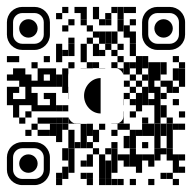

How to Buy Uniswap with Bancomat Pay?
How to Buy Uniswap with BANCOMAT Pay

Buying Uniswap with BANCOMAT Pay on Paybis takes just a few minutes, straight from your phone:
- Create and verify your Paybis account
- Select UNI as the crypto you want to buy and choose BANCOMAT Pay as your payment method
- Enter the amount of UNI you want, or how much EUR you'd like to spend
- Confirm the payment request in the BANCOMAT app or your bank's app with a single tap
Your UNI lands in your Paybis Wallet or external wallet as soon as the payment clears. You skip typing out an IBAN or card number entirely, and you don't have to wait around for a SEPA transfer to process. For anyone with an Italian bank account, it's one of the quickest ways to buy UNI in Italy. If you already hold UNI and want to cash out instead, you can sell UNI just as easily on Paybis.
Your UNI Wallet
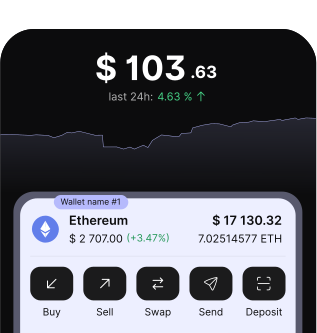
Every Paybis purchase can go straight into your free Paybis Wallet. You don't need to install a separate app or worry about managing a seed phrase on day one. From there you can hold your UNI, keep an eye on the price, or withdraw to an external wallet whenever you're ready. If you already have a wallet you prefer, just enter that address at checkout and your UNI goes straight there instead. Want to move into a different coin later? You can swap UNI for another crypto directly from your wallet, no extra cash-out step needed.
Security & Licensing
Paybis has been operating since 2014 and is a licensed Crypto Asset Service Provider under MiCA, alongside its Payment Institution authorization and regional Money Service Business registrations. On top of that, every BANCOMAT Pay transaction runs through your own bank's security setup, so you confirm the payment with the same OTP or push notification you'd use for any other banking action. Your card or account details never actually pass through Paybis. Between that and standard KYC checks, buying UNI this way is about as secure as digital payments in Italy get.
Buy or Sell Crypto in Minutes
Fast, simple, and secure — the easiest way to trade crypto
Regulated in the US, Canada, and EU


Mobile App
Scan the QR code to download Paybis and start trading anytime, anywhere
What Can You Do with Uniswap (ERC20)?

Buy
Buy crypto instantly with your preferred payment method, including credit card, Apple Pay, Google Pay, PayPal, Skrill and more


Swap
Swap between your favorite cryptos in just a few simple steps.


Convert
Convert your crypto directly back into fiat cash in over 65 currencies
Convert Uniswap Protocol Token to Fiat


Convert Fiat to Uniswap Protocol Token
Unlock the Power of Crypto
Earn
Soon
FAQ
Why BANCOMAT Pay Is a Great Way to Buy UNI
Millions of people across Italy already use BANCOMAT Pay through their bank's own app, so there's nothing new to learn. You approve the payment with a tap and the money moves right away, which beats sitting around waiting for a SEPA transfer to land. It also means you never have to type out a card number, since the whole thing runs off your phone number and current account. If you're looking to buy crypto in Italy without dealing with transfer delays or the odd declined card, this is a genuinely faster route, and it's why Italian fintech and investment platforms have started building it into their own deposit options too. Prefer a different payout method for your next purchase? Paybis also supports buying UNI via bank transfer or card.
Can I buy UNI with BANCOMAT Pay?
Yes. Paybis lets users with an Italian bank account buy UNI through BANCOMAT Pay, and the whole process happens without a card or a bank transfer.
Is BANCOMAT Pay only available in Italy?
Yes, it's tied to Italian bank accounts, so it's only usable by buyers in Italy for now.
How long does a UNI purchase with BANCOMAT Pay take?
It's about as fast as it gets. You confirm the payment in your banking app and your UNI usually shows up within minutes.
Is BANCOMAT Pay safe for buying crypto?
Yes. Every payment gets authorized inside your own bank's app using your existing security setup, so your bank details stay with your bank rather than being shared with the exchange.
Can I buy other cryptocurrencies with BANCOMAT Pay besides UNI?
Yes. Paybis supports a wide range of cryptocurrencies for BANCOMAT Pay, and you can check the full list once you're signed up.
Buy or Sell Crypto in Minutes
Fast, simple, and secure — the easiest way to trade crypto


1st buy, no Paybis fee. Lowest end-to-end fees.