Crypto Exchange Payment Methods Explained: Card, Bank Transfer, Apple Pay, and More (2026)
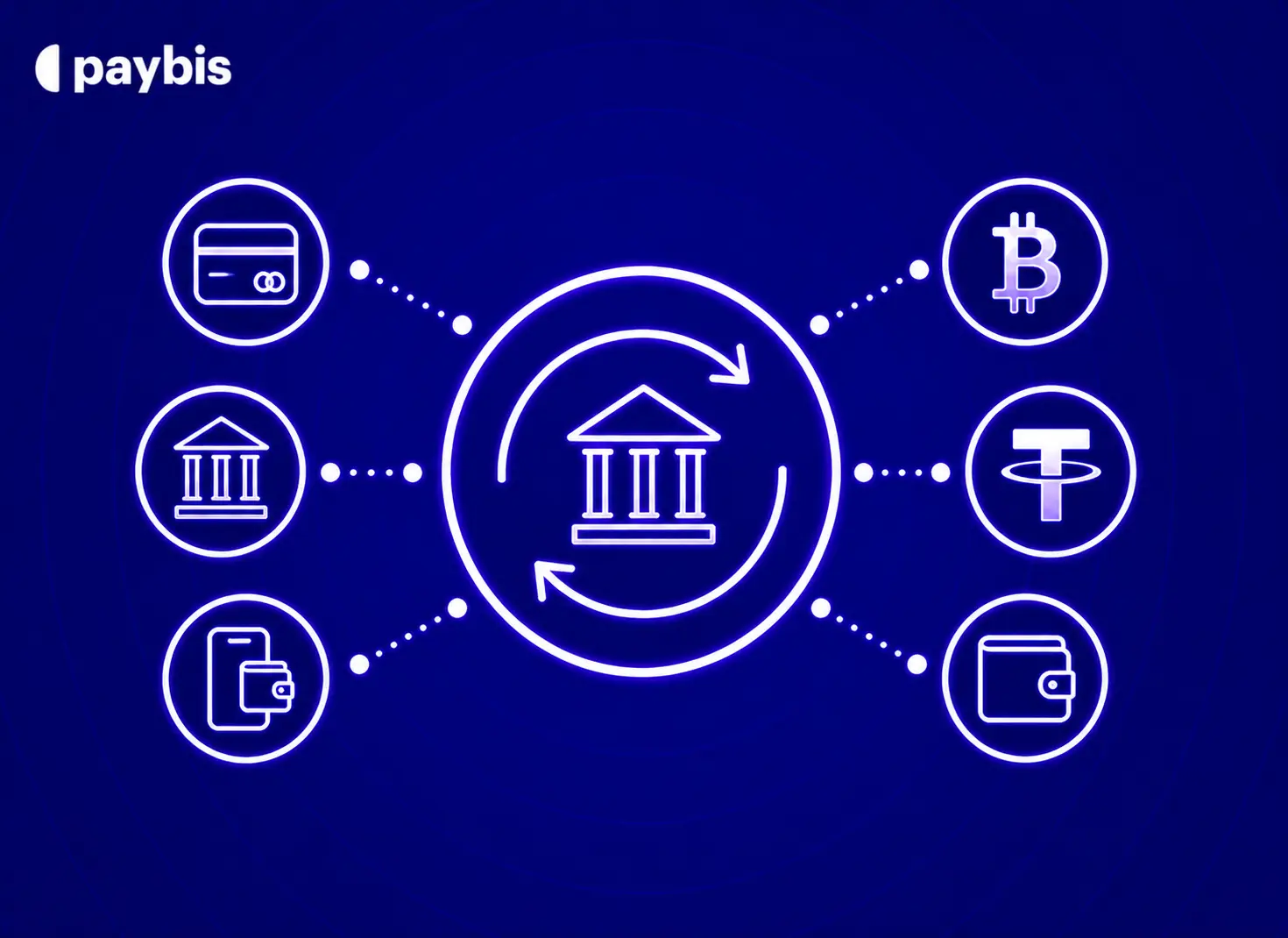
– Credit and debit cards are the fastest way to buy crypto, with processing in under 1 minute, though they carry higher processing fees (4.5-8.5%) than bank transfers. You can also buy Bitcoin with a bank account for lower fees on larger amounts.
– Bank transfers (SEPA, ACH) cost significantly less for larger amounts but take 1-3 business days to clear, unless you use instant-rail options like PIX or FPS. Need a secure place to store your purchase? Set up a Bitcoin wallet before you buy.
– Never guess your final cost. Always confirm the exact breakdown of service fee, processing fee, and network fee (the cost miners charge to verify transactions) before clicking “buy.” Prefer digital wallets? You can buy Solana with PayPal at checkout.
– Paybis shows all three fees upfront on every transaction, so buyers know exactly what they are paying before confirming.
Crypto assets can increase or decrease in value. Paybis is a payment gateway, not an investment service. This content is for informational purposes only and does not constitute financial advice.
Most crypto exchanges treat payment methods as an afterthought. That leads to blocked cards, surprise fees after you click “buy,” and multi-day delays when you needed Bitcoin an hour ago. This guide breaks down the exact speeds, costs, and security steps for every major payment method so you can pick the right one and own crypto today. If you want to buy Bitcoin with a credit or debit card, that option is covered in full below alongside Apple Pay, and regional rails.
How You Pay for Crypto on Exchanges
Buying crypto means converting your bank funds or card balance into a digital asset. That asset could be Bitcoin, an altcoin like Ethereum (a cryptocurrency with its own blockchain), or a stablecoin like USDC (a crypto pegged to $1). After purchase, those assets are secured by a wallet. A wallet stores the private keys that give you access to your crypto on the blockchain. Paybis offers a custodial wallet where security is managed on the user’s behalf. A self-custodial wallet means you hold your own private keys and take full responsibility for access. Not sure how Bitcoin works under the hood? That guide covers the fundamentals before you make your first purchase.
The payment method you choose determines your speed, cost, and convenience.
Your Final Crypto Purchase Cost
Every transaction involves three separate fees:
- Service fee: What Paybis charges (1.49% after the first card purchase. First card transaction is 0%).
- Processing fee: What the payment processor charges (card networks charge more than banks)
- Network fee: The cost paid to miners (the computers that verify blockchain transactions) to confirm your purchase. This fee fluctuates based on network demand and is not controlled by any exchange.
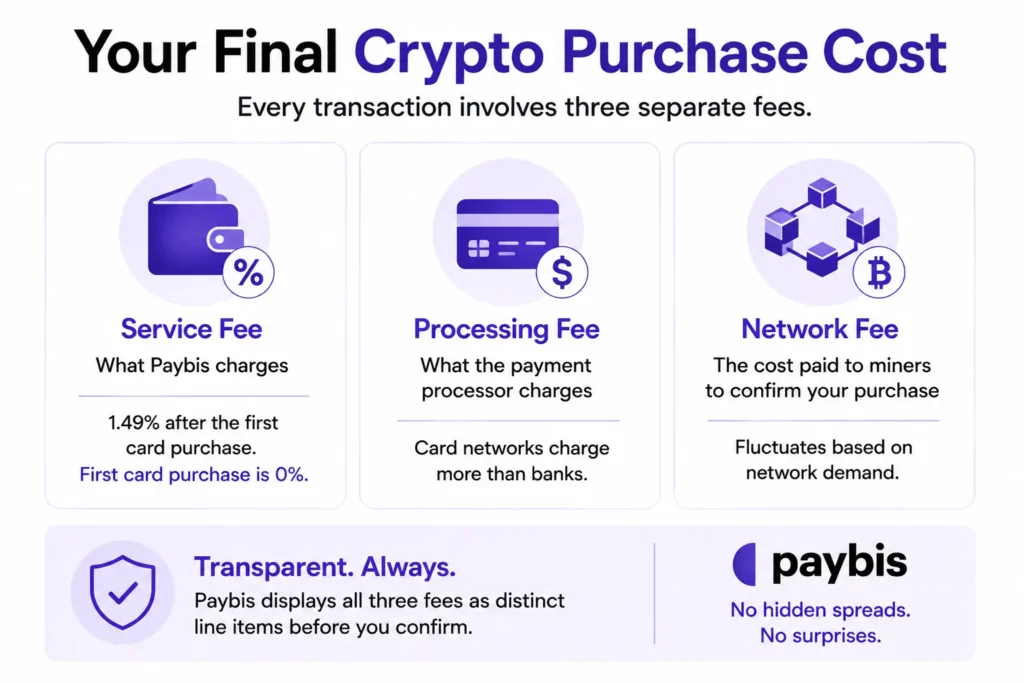
Paybis displays all three as distinct line items before any transaction is confirmed. There are no hidden spreads or charges discovered after the fact. For a detailed breakdown of how Paybis fees compare to competitors, see the BitPay fees vs. competitors real cost comparison.
Payment Method Fee Impact
The method you choose directly determines the processing fee. Card purchases cost more to process than bank transfers because card networks charge higher interchange fees. For a broader overview of your options, the top payment methods to buy crypto guide is a useful reference.
Can You Buy Crypto with Your Debit Card?
Yes. Debit cards are widely accepted and require no bank account linking, making them one of the most straightforward ways to buy crypto. Cards offer the fastest settlement of any payment method, but they carry the highest processing fees.
Pros:
- Processing in under 1 minute when approved
- Works with most Visa and Mastercard cards globally
- No bank account linking required
- First Paybis card transaction carries a 0% service fee
Cons:
- Processing fee of 4.5-8.5% for transactions over $50 (depending on currency)
- Some banks flag crypto purchases and block them
- Daily limits lower than bank transfers for very large purchases
Buying Crypto with Your Card
Here is how the process works:
- Enter your amount: On the Paybis homepage or in the app, type $300 in the calculator. The screen shows exactly how much Bitcoin you’ll receive and the complete fee breakdown.
- Verify your identity: Upload a government-issued photo ID and take a selfie. This takes approximately 2 minutes for most users.
- Enter card details: Input your Visa or Mastercard number and complete the 3D Secure check (your bank sends a text message, app notification, or biometric prompt to confirm it’s you).
- Receive crypto: Your Bitcoin arrives in your wallet with near-to-instant settlement (depends on the blockchain).
If your bank blocks the transaction, call its fraud line and ask them to approve crypto purchases before trying again.
When Will Your Crypto Arrive?
Card transactions process in under 1 minute when approved. Bitcoin’s blockchain settlement is near-instant but depends on network congestion at that moment. Network fees vary by blockchain congestion. Paybis updates the network fee figure in real time before the transaction is confirmed. Live fee data is available at mempool.space.
How Much Can You Buy by Card?
The minimum purchase on Paybis is $5. The withdrawal amounts video explains how purchase limits scale with verification level.
Protecting Your Card from Fraud
3D Secure (3DS) is an additional authentication layer the bank requires before completing an online payment. It usually arrives as a text code, app notification, or biometric prompt. The 3DS protocol shifts liability for unauthorized transactions to your bank once you’ve authenticated the purchase — a chargeback rule set by Visa and Mastercard card networks. Once a transaction is confirmed on the blockchain, it is irreversible. That is why 3DS authentication matters before the payment leaves the user’s account. Paybis holds PCI DSS Level 1 compliance, the highest certification for platforms handling card data.
Bank Transfers: Your Crypto Buying Options
Bank transfers cost less to process than cards and work well for larger purchases. The trade-off is time. The bank vs. card comparison video covers which option makes more financial sense depending on purchase size. For a deeper look at why ACH in particular suits larger US purchases, see the ACH solution for crypto purchases overview.
Pros:
- Much lower processing fees (SEPA: 0.05% or minimum €2)
- Higher purchase limits
- No card fraud risk
Cons:
- Standard transfers take 1-3 business days
- Requires linking a bank account
- Not the right choice if you want crypto within the hour
Buy Crypto with US Bank Transfer
ACH (Automated Clearing House) is the standard US bank-to-bank transfer system. It processes in 1-3 business days on Paybis. The ACH bank transfer guide walks through the exact linking and payment steps. ACH carries lower processing fees than card payments, making it a practical option when speed is less important than cost.
Buy Crypto with SEPA in Europe
SEPA (Single Euro Payments Area) is the standard bank transfer system across 36 European countries. It is governed by the European Payments Council and the European Commission. Standard SEPA takes 1-2 business days. Paybis charges a 0.99% service fee plus a 0.05% processing fee (minimum €2) on SEPA purchases. The SEPA bank transfer guide covers supported countries and steps in full.
How to Use Apple and Google Pay for Crypto
Apple Pay and Google Pay use tokenization. Instead of sending your card number, your device transmits a one-time encrypted token. The token is verified by Face ID, Touch ID, or your device passcode. Your actual card details are never exposed during the transaction. The Apple Pay guide and Google Pay guide walk through each step for supported devices.
Both methods process at card speed with an extra authentication layer built in. Paybis supports Apple Pay and Google Pay for instant crypto purchases across 90+ cryptocurrencies, with the same upfront fee disclosure as all other payment methods. Wondering which app suits your broader investing needs? The best cryptocurrency app for investing, trading, and tracking guide covers the landscape.
How to Use PayPal for Crypto
PayPal is available as a payment method for US customers and users in the European Economic Area. At checkout, select PayPal and log in to your account to confirm the payment — no card details need to be entered manually. Processing speed matches card payments, with crypto delivered in under 1 minute when approved. You can also buy Solana with PayPal directly on Paybis if you’re looking beyond Bitcoin.
Local Payments: What Works in Your Region
Paybis supports 20+ payment methods across 180+ countries and 70+ fiat currencies. Three regional methods stand out for speed and availability.
- PIX (Brazil): Brazil’s instant payment system settles transactions in seconds, 24/7, including weekends and holidays. PIX is one of the world’s fastest payment rails, and Paybis supports it directly for Brazilian users.
- Webpay (Chile): Webpay is Chile’s primary online payment gateway, used by most Chilean banks. Where available, Webpay allows Chilean buyers to pay through a familiar local gateway rather than navigating international card payments.
- FPS (UK): The Faster Payments Service is the UK’s instant bank transfer system. FPS typically processes transfers within seconds, though in rare cases it can take longer. The UK crypto buying guide covers FPS payment steps in full.
Compare Crypto Payments: Speed and Costs
| Payment Method | Processing Speed | Processing Fee | Best For |
|---|---|---|---|
| Credit/Debit Card | Under 1 minute | 4.5–8.5% (over $50) | Fast access, time-sensitive purchases |
| Apple Pay / Google Pay | Under 1 minute | Card rates apply | Mobile convenience, fast access |
| PayPal | Under 1 minute | Shown at checkout | US and EEA users, no card entry required |
| PIX (Brazil) / FPS (UK) | Seconds | Bank transfer rates | Brazil and UK users requiring fast settlement |
| SEPA Standard (EU) | 1–2 business days | 0.99% service + 0.05% processing (min €2) | EU users willing to wait for lower fees |
| ACH Transfer (US) | 1–3 business days | Fee shown at checkout | US users, lower processing fees |
Choosing Your Crypto Payment Method
The right method comes down to two variables: how fast do you need your crypto, and how much are you buying?
- Want crypto today? Use a card, Apple Pay, or Google Pay.
- Buying larger amounts in the EU? SEPA carries lower processing fees than card payments.
- Based in Brazil or the UK? PIX or FPS give you both speed and low cost.
- In the US and not in a hurry? ACH keeps fees low on larger purchases.
Buy Bitcoin Today: Quickest Ways
Here is the step-by-step first card purchase process:
- Visit paybis.com or open the Paybis app.
- Enter your amount in the calculator (e.g., $300). The screen shows the exact fee breakdown before you proceed.Create an account with your email address.
- Upload a government-issued photo ID and take a selfie. Verification takes approximately 2 minutes.
- Select Visa, Mastercard, Apple Pay, or Google Pay.
- Complete the 3D Secure approval on your phone.
- Receive Bitcoin in your wallet. Settlement is near-instant (depends on the blockchain).
For a complete walkthrough of the account setup process, see the how to create and verify an account guide.
Payment Methods: Fee Comparison
The Paybis live calculator shows the exact total before the buyer clicks “buy.” For a $500 card purchase, you’ll see:
- Service Fee: $0 on your first transaction (1.49% thereafter)
- Processing Fee: $22.50-$42.50 (4.5-8.5% for transactions over $50)
- Network Fee: Varies by blockchain congestion at time of transaction. Live estimates are available at mempool.space.
- Total charged on first purchase: approximately $523-$546
How to Prevent Bank Crypto Blocks
Banks sometimes categorize crypto purchases under high-risk merchant codes and decline them automatically. Here’s how to handle it:
- Contact your bank’s fraud line and ask them to approve crypto transactions on your card.
- Try Apple Pay or Google Pay as an alternative if the direct card route remains blocked.
- Switch to a bank transfer (SEPA or ACH) if all card routes are unavailable.
- Contact Paybis 24/7 live chat if the issue persists. The average response time is 1-2 minutes.
How Your Payment Data Is Protected
Paybis holds the following compliance registrations and certifications:
- MiCA & CASP (EU)
- FinCEN (US): Money Services Business registration,
- FINTRAC (Canada): MSB registration (Financial Transactions and Reports Analysis Centre of Canada)
- PCI DSS Level 1: The highest certification for platforms handling card payment data
- Zero security breaches since 2014
Ready to buy crypto now? Create your account, complete identity verification in approximately 2 minutes, and see your exact total at checkout. Your first card transaction carries a 0% Paybis service fee, so you pay only processing and network fees. Once you’ve purchased, you can send Bitcoin to another wallet using the step-by-step transfer guide.
Key Terminology
- Cryptocurrency: Digital money secured by cryptography and recorded on a blockchain. It includes assets like Bitcoin, Ethereum, and stablecoins like USDC.
- Blockchain: A shared, permanent record of all transactions. Each new block of data links to the previous one, forming a chain that anyone can verify but no one can alter or delete.
- Wallet: A tool that stores the private keys that prove ownership of your crypto on the blockchain. Your crypto itself is recorded on the blockchain network, not held inside the wallet. Paybis offers a custodial wallet where security is managed on the user’s behalf, or you can withdraw to an external wallet where you hold your own keys.
- Network Fee: The cost paid to miners (the computers that verify and confirm blockchain transactions) to process your purchase. This fee fluctuates with network demand and is not set or profited from by any exchange.
- P2P (Peer-to-Peer): A direct transaction between two individuals without an intermediary like an exchange or bank. P2P platforms often use escrow (a neutral third-party hold on funds) to protect both parties until the trade is confirmed by both sides.
FAQ
Can I Use PayPal to Buy Crypto on Paybis?
Yes. PayPal is available for US customers and for users in the European Economic Area. Log in to your PayPal account at checkout and confirm the payment without entering card details manually.
What Happens if My Bank Transfer Fails or Is Rejected?
If a transaction is rejected for security or compliance reasons, Paybis initiates a refund to the original payment method with no charge. Contact Paybis 24/7 live chat immediately for the fastest resolution.
Why Does My Bank Block Crypto Purchases?
Banks categorize crypto purchases under high-risk merchant codes and sometimes decline them automatically as a fraud prevention measure. Call your bank’s fraud line and ask them to approve crypto purchases on your account. If that doesn’t work, switch to Apple Pay or a bank transfer.
How Long Does Identity Verification Take on Paybis?
For most users, identity verification takes approximately 2 minutes: upload a government-issued photo ID, take a selfie, and the automated system reviews both. Some accounts require additional documents for larger transactions as a legal compliance requirement.
Disclaimer: Don’t invest unless you’re prepared to lose all the money you invest. This is a high‑risk investment and you should not expect to be protected if something goes wrong. Take 2 mins to learn more at: https://go.payb.is/FCA-Info