Swapping Crypto on Mobile: Using Paybis App for On-the-Go Exchanges
Key Takeaways: Swapping crypto on a phone should not require days of waiting or hidden fees. The Paybis app processes transactions in under 1 minute and completes identity verification in roughly 2 minutes for most users who submit clear documents. All fees, including the service fee, processing fee, and network fee (the cost miners charge), appear on-screen before any swap is confirmed. The app operates in 180+ countries, supports 20+ payment methods including PIX (Brazil’s instant payment system) for Brazilian users, and offers 24/7 live chat support with 1-2 minute average response times. Users can also buy Bitcoin with ACH transfer, buy USDT with M-Pesa, withdraw Bitcoin to a bank account, or learn how to get an M-Pesa statement before getting started.
Most crypto apps greet first-time users with trading charts, unfamiliar terms, and fees that surface only at the final checkout screen. The Paybis mobile app works differently: a calculator-style interface shows exactly what will be paid before confirmation, and identity verification takes roughly 2 minutes for most users who submit clear documents. This guide covers every step of executing a crypto swap on the Paybis app, from installation to settlement, with no jargon and no surprises.
Know Your Mobile Transaction Costs
Every mobile crypto swap on Paybis involves three cost layers. Knowing them before tapping “confirm” prevents surprises and keeps the total cost clear from the start.
Instant Crypto Swaps on Mobile
Processing time and settlement time are two different things. Processing time is how quickly Paybis executes the transaction on its platform: under 1 minute. Settlement time is how long the blockchain (the decentralized network that verifies and records the transaction) takes to confirm it, which is near-instant but varies by cryptocurrency and network conditions.
Coinbase support documentation states that bank transfers typically require 3-5 business days to clear. That gap matters when someone needs to send money internationally before the end of the day. The Paybis mobile apps support page confirms the app is optimized for both iOS and Android. For a broader look at how often transaction windows open and close, the how often can you buy and sell Bitcoin on exchanges guide provides useful context.
How Secure Is Your Crypto on Mobile?
Paybis uses MPC technology (multi-party computation, which splits the keys that control crypto holdings across multiple secure locations) for its wallets, so no single device or person holds a complete key. This protects funds even if one component is compromised. Paybis has operated since 2014 and holds PCI DSS Level 1 compliance, the highest certification for payment processing.
For users who prefer to hold crypto in their own external wallet, the app supports direct withdrawals to any external address. The wallet transfer warnings support article covers the steps and security checkpoints involved. For a deeper look at how the underlying infrastructure works, the are blockchain wallets safe article is worth reading before transferring funds externally.
Calculator-Simple Crypto Swaps
Binance presents users with 600+ trading pairs and terminology like “spot market,” “limit orders,” and “maker/taker fees.” Paybis replaces all of that with a single calculator: “You send [amount] → You get [amount].” No charts, no order books, no jargon.
That calculator interface is the first thing users see after completing installation and verification, both of which take minutes rather than hours.
Getting Started With the Paybis Mobile App
How to Install the Paybis App
The Paybis app is available on both the Apple App Store and the Google Play Store. The App Store rating is 4.4 stars and Google Play holds a 4.6-star rating. Download is free. The app features a calculator interface front and center, designed for quick access to the swap function. For those still weighing their options, the best cryptocurrency app for investing, trading, and tracking guide offers a useful comparison before committing to a platform.
Verify Your Account in Minutes
Identity verification (required by law as part of anti-money laundering compliance) is the step that stalls momentum on most platforms. On Paybis, the process is straightforward:
- Upload a clear photo of a government-issued ID (passport or national ID card). All four corners must be visible and all text must be readable. Paybis does not accept screenshots or edited photos.
- Complete a liveness check by positioning the face within the on-screen frame and slowly moving the head right, left, up, and down for a secure 3D scan.
- Receive verification confirmation, typically within minutes, for users who submit clear, valid documents.
The account creation and verification guide walks through each step in detail.
Using the Paybis App: Your First Steps
After verification, the home screen shows the calculator interface at the top and quick-access icons for Buy, Sell, and Swap. The Wallet tab, accessible from the top-left, shows all crypto balances held in the Paybis custodial wallet.
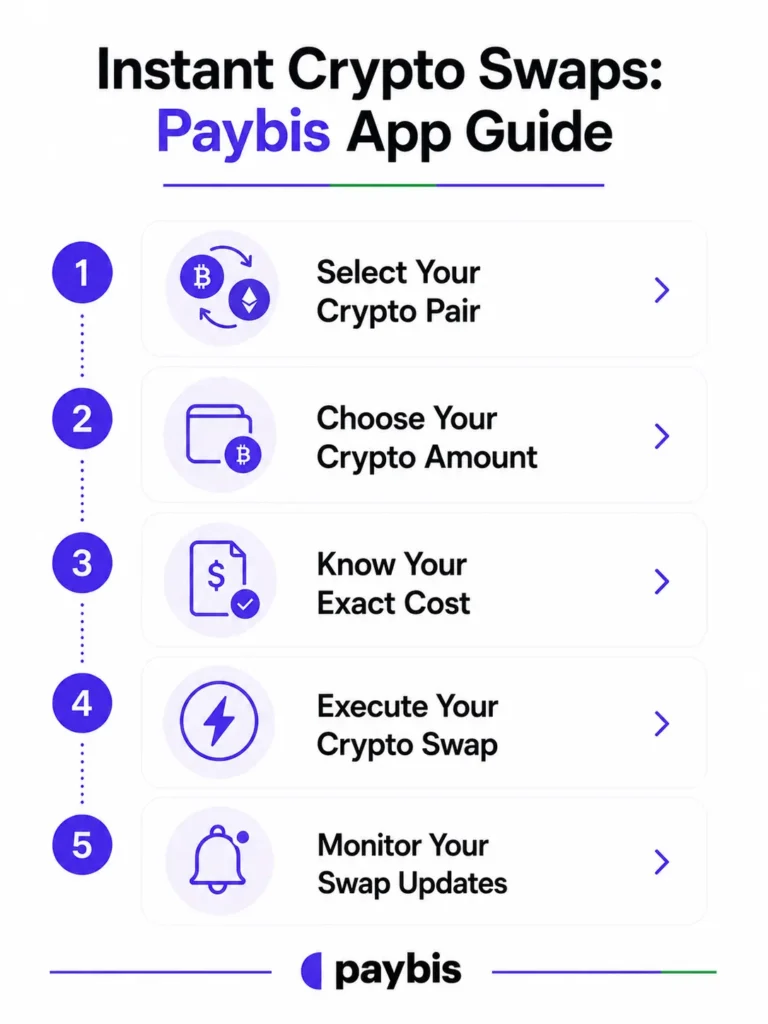
Instant Crypto Swaps: Paybis App Guide
The following five steps cover a crypto-to-crypto swap using the Paybis wallet. For users swapping fiat to crypto, the flow is nearly identical with the addition of a payment method selection. Full official instructions are in the Paybis wallet swap guide and the external wallet swap guide for users sending crypto to an address outside Paybis.
Step 1: Select Your Crypto Pair
Open the app and navigate to the “Swap Crypto” section. Select the cryptocurrency to exchange (e.g., Bitcoin) and the one to receive (e.g., USDT). The Paybis app supports 90+ cryptocurrencies, covering pairs like BTC/ETH, ETH/USDT, and LTC/BTC. The crypto swap video tutorial from Financify shows this step visually. Users curious about the full scope of available assets can also read how many cryptocurrencies are there for broader context.
Step 2: Choose Your Crypto Amount
Enter the amount to swap. The calculator updates the “You get” field in real time so the exact output is visible before proceeding. Paybis supports 70+ fiat currencies and 20+ payment methods, including local options like PIX for Brazilian users. The payment methods documentation lists all supported options by region.
Step 3: Know Your Exact Cost
Before any confirmation, the app displays three line items on one screen: the service fee, processing fee, and network fee, plus a total. No hidden charges surface at checkout. As noted in the Paybis fee comparison article, Coinbase shows “$500 purchase” then charges $537. Paybis shows the full receipt before payment. See the full fee breakdown in the Transparent Fees section below.
Step 4: Execute Your Crypto Swap
After reviewing the fee breakdown, tap “Swap” to initiate. For card payments, a 3DS (3-Domain Secure) security check may follow: a notification or SMS from the card issuer asks for approval. Some card issuers opt into 3DS as one of several available fraud prevention measures. Enter the 6-digit SMS code sent to the registered phone number to authorize the swap. Once submitted, processing takes under 1 minute.
Step 5: Monitor Your Swap Updates
The app shows swap status in the transaction history tab after submission. Settlement is near-instant, though it varies by blockchain. The transaction history video from the official Paybis channel shows how to check swap status and full transaction history in seconds.
Transparent Fees: Avoid Hidden Crypto Costs
Paybis App Swap Fees Explained
Three fee types apply to every Paybis transaction:
- Service fee (Paybis commission): Starts from 1.49%. The first credit or debit card transaction carries 0%.
- Processing fee (external payment processor): 4.5-8.5% for card transactions over $50 in USD, EUR, GBP, or JPY. Flat fees apply under $50 ($2 for $5-$20, $3 for $20.01-$50).
- Network fee (blockchain miners): Varies by crypto and network congestion. Goes directly to miners, not to Paybis. The BitPay fee comparison on the Paybis blog shows how this stacks up across platforms.
Paybis charges higher service and processing fees than advanced trading platforms like Binance, which charges as low as 0.1% for maker trades. The trade-off is instant processing, fast verification, and live human support instead of multi-day bank transfer delays and ticket-based queues.
Your Exact Mobile Swap Cost
For a $500 Bitcoin purchase using a debit card (after the first transaction):
| Fee Type | Amount |
|---|---|
| Service fee (1.49%) | $7.45 |
| Processing fee (4.5–8.5%) | $22.50–$42.50 |
| Network fee (varies by blockchain) | ~$0.70–$3.00 |
| Total charged | ~$530.65–$552.95 |
The first card transaction waives the $7.45 service fee. All figures appear on the confirmation screen before the user taps confirm.
Your Exact Swap Rate Upfront
The rate shown in the calculator is locked when the confirmation screen appears and stays fixed while completing the payment step. What appears at the moment of confirmation is what the user pays. As the Benzinga Paybis review notes, this fee transparency is a consistent differentiator for users who have been caught off-guard by competitor pricing.
“I especially appreciate the transparent fee structure, no hidden costs or surprises.” – Vladimir Z. on G2
Mobile App Comparison: Paybis vs. Competitors
| Feature | Paybis | Binance | Coinbase |
|---|---|---|---|
| Verification speed | ~2 minutes for most users | Varies, often hours | Up to 48 hours |
| Interface | Calculator-only, no charts | 600+ pairs, complex UI | Simplified buy interface, fewer countries |
| Fee breakdown before confirm | All fees shown upfront | Structure complex, not always clear | Spread embedded, not always itemized |
| Human support response | 1–2 min avg, 24/7 live chat | Hours, ticket-based | Automated bots, rare human contact |
Sources: Paybis mobile apps documentation, FXEmpire Paybis review, Coin Bureau Paybis review
Secure Your Mobile Crypto Swaps
Enable Security Features
Enable biometric login (fingerprint or Face ID) through the phone’s native security settings so the Paybis app cannot be opened without the user’s biometric. Beyond biometrics, the Paybis account security guide recommends enabling two-factor authentication on the email account linked to Paybis for an added layer of protection. The app also requires a 6-digit SMS code for every withdrawal or swap, adding a direct confirmation layer to every transaction.
Check the transaction history tab regularly. Every completed swap generates a timestamped record. If an unfamiliar activity appears, contact Paybis live chat immediately to report the issue.
Keep Your Crypto Safe on Mobile
Two habits reduce mobile risk significantly:
Avoid performing swaps or withdrawals on public Wi-Fi. Mobile data is safer than open cafe or airport networks.
Only download the Paybis app from the official Apple App Store or Google Play Store. Fake versions of crypto apps are a common scam method.
For a thorough walkthrough of red flags and deceptive tactics to watch for, the how to spot and avoid crypto scams guide covers the most common attack vectors in detail.
Lost Phone: Essential Recovery Steps
If the phone is lost or stolen:
From another device, contact Paybis via 24/7 live chat or email support@paybis.com to report the situation and request account suspension.
Change the account password and revoke active sessions from a secure device.
Paybis can disable the account to protect funds if a compromise is suspected, per its security protocols outlined in the Paybis wallet access documentation.
Your Crypto: How to Use and Transfer It
Withdraw Crypto from Paybis App
Users are never locked into the Paybis ecosystem. To withdraw to an external wallet, open the Wallet tab, tap “Send” next to the relevant cryptocurrency, paste the destination wallet address (the unique identifier for the external wallet, similar to a bank account number), and select a network fee tier. Low means slower confirmation, Medium is the default, and High delivers faster settlement. Enter the 6-digit SMS code to authorize. Full steps are in the withdrawal guide on the Paybis support site.
Manage Crypto in the Paybis App
For users who prefer simplicity over self-custody, the Paybis custodial wallet (where Paybis holds the keys securely using MPC technology) removes the need to manage seed phrases (the backup codes required to recover a self-custody wallet). Crypto stored in the Paybis wallet is accessible from the app at any time, and swaps between holdings are available directly within the wallet interface. The deposit guide covers adding crypto from external sources.
Troubleshooting Common Mobile Swap Issues
App Performance and Slow Swaps
When a swap confirmation takes longer than expected, the most common cause is blockchain network congestion. Check the status of the specific blockchain using a public block explorer, then contact the Paybis live chat team with the transaction reference number from the history tab if the delay appears unusual or extended. For app freezing or loading issues, update the app to the latest version, check the internet connection, and switch from Wi-Fi to mobile data if needed. The why users switch platforms article on the Paybis blog explains the communication approach Paybis takes during transaction delays.
Resolve Failed Card Transactions
Banks sometimes decline card payments for crypto purchases, classifying them as high-risk transactions. This is a bank-side block, not a Paybis rejection. The fix is to call the bank’s fraud or card services line, explain the intended purchase, and request approval for crypto transactions. Alternatively, PIX (for Brazilian users), Skrill, or Neteller often bypass bank-level blocks. The supported payment methods documentation lists all available alternatives by region. For a broader look at how alternative payment methods compare, the alternative payment methods vs. credit cards article is a helpful reference.
Get Fast Help on Your Phone
Paybis offers 24/7 live chat accessible directly from within the app. The average response time is 1-2 minutes, with support available in 9+ languages. This contrasts with Binance’s ticket-based system, which can take hours, and Coinbase’s automated bot responses. As one Trustpilot reviewer confirmed:
“Paybis offers transactions in a quick and easy format with thorough security measures. I’ve been using their app for quite some time and have had no issues.” – Amanda Stringfellow on Trustpilot
The Paybis app buying guide from Simple Flow also covers how to reach support directly from within the app interface.
Paybis has processed over $1.2 billion in annual transaction volume (last 12 months as of October 2025) and holds 30,780+ Trustpilot reviews with a rating of 4.1 (“Great”), as verified on Trustpilot. The platform is registered with FinCEN (Financial Crimes Enforcement Network, US Money Services Business entity 31000272911973), FINTRAC (Financial Transactions and Reports Analysis Centre of Canada), and the Revenue Chamber in Katowice (Virtual Asset Service Provider in Poland, RDWW-805).
Ready to swap crypto on a phone? Download the Paybis app from the Apple App Store or Google Play Store, complete verification, and see the full fee breakdown before confirming the first swap.
Key Terminology
- Wallet: Where cryptocurrency is stored. A custodial wallet (like the Paybis wallet) means the platform holds the keys securely on the user’s behalf. A non-custodial wallet means the user holds the keys personally.
- 3DS: Three-Domain Secure, a security protocol used by card issuers to verify the cardholder’s identity during online payments.
- PIX: Brazil’s instant payment system that enables real-time transfers between bank accounts.
- Network fee: The cost paid to blockchain miners to confirm and record a transaction on the network. This fee is not set by Paybis and fluctuates based on how busy the blockchain is at the time of the transaction.
- Blockchain: The decentralized ledger that records every crypto transaction. When a swap “settles,” it means the blockchain has confirmed and permanently recorded the transfer.
- Custodial wallet: A wallet where a trusted platform (in this case, Paybis) secures the private keys using MPC technology. It offers simplicity in exchange for trusting the platform’s security, which Paybis backs with PCI DSS Level 1 compliance and FinCEN registration.
FAQ
How Fast Are Mobile Crypto Swaps?
Processing is instant (under 1 minute) on the Paybis platform. Settlement, meaning the crypto arriving in the designated wallet after blockchain confirmation, is near-instant and varies by cryptocurrency and network conditions.
What Crypto Pairs Does the App Support?
The Paybis app supports 90+ cryptocurrencies including Bitcoin, Ethereum, USDT, and USDC, across 70+ fiat currencies. Full details are available in the supported countries documentation.
What Are the Fees for a Mobile Crypto Swap?
Three fees apply: a service fee starting from 1.49% (0% on the first card transaction), a processing fee of 4.5-8.5% for card transactions over $50, and a network fee set by blockchain miners. All three appear on-screen before confirmation. See the full breakdown and a $500 example in the Transparent Fees section above.
How Can Users Avoid Mobile Crypto Swap Scams?
Never share login credentials or SMS verification codes with anyone, including people claiming to be support agents. Only download the official Paybis app from the Apple App Store or Google Play Store, and enable account security features including 2FA on the linked email account.
Can a Mobile Crypto Swap Be Reversed?
Once a crypto swap is confirmed on the blockchain, it cannot be reversed. Always review the full fee breakdown and the exact “You get” amount on the confirmation screen before tapping confirm.
Disclaimer: Don’t invest unless you’re prepared to lose all the money you invest. This is a high‑risk investment and you should not expect to be protected if something goes wrong. Take 2 mins to learn more at: https://go.payb.is/FCA-Info